


Laura Entis is a staff writer at Every.

The Case Against Skills
Use them intentionally, or they could make your AI worse
Jul 16, 2026 · 8 min readUpdated Sep 17, 2026

Was this newsletter forwarded to you? Sign up to get it in your inbox.
Signal
Skills could be making your AI worse
It might be time to examine your elaborate skill library. Skills are reusable packages of instructions—and sometimes examples and tools—that load whenever they’re relevant to what you asked your AI to do. They’re supposed to improve an agent’s performance. The format, popularized by Anthropic, is all over X, where sprawling custom skill libraries are treated as status symbols.
Mike Taylor, Every’s head of tech consulting, thinks every skill should earn its place in your library with proof it improves outcomes. His argument: Frontier models are smart enough that they’ve absorbed the need for most of the skills trending on social media. If a model can reason through something on its own—and Fable 5 or GPT-5.6 likely can—adding extra instructions creates confusion, not clarity. “You’re fighting the weights of the model by forcing it to do things your way instead of the way it was trained,” Mike says. Any time you conflict with the model’s training, it’s more likely to make mistakes. All the additional text loaded from your skill will also inflate costs, so you should make sure each skill you choose is worth it.
Skills are still useful, Mike says, but only when you need the model to complete a workflow in a specific way, like producing a custom PowerPoint template with instructions on your brand style guide or referencing internal company data. Mike recently found when testing Fable 5 that some of the skills Opus 4.8 needed to avoid mistakes actually harmed the newer model’s performance. It reminded Mike of his work as a prompt engineer in 2023: “With GPT-3 we had to use all these hacks and magic words to get it to produce valid code. Then when GPT-4 came out, it followed instructions better, and our bag of tricks was no longer necessary.”
Why it matters:
The data backs him up. SWE-Skills-Bench, a research benchmark that tests whether agent skills make agents better at software engineering, tested 49 public software-engineering skills and found that 39 didn’t impact performance, while three made things worse. At the same time, a large percentage of skills caused the model to consume more compute without improving results. (The worst offender increased token use by 451 percent.)
Only seven skills improved outcomes, and according to the researchers, these successful skills all provided specialized guidance the model couldn’t otherwise supply, like financial-risk formulas or traffic-management instructions.
What it means:
Skill utility has a shelf life. Instructions that patch a model’s blind spot can become redundant—or actively counterproductive—the moment a new version of the model absorbs that capability. The skills built to last are the ones that give the model information it couldn’t have known about your business or the way you work because it’s not public information: personal preferences about your writing style, a specific company template, internal company data, or an exact sequence of steps. When you do use skills made by other people, make sure they’re regularly updated and pruned by their author.
Try it this week: Perform a skills audit.
- Keep skills that provide private context, custom tool access, personal taste, or a specific company workflow—things that people outside your company wouldn’t know.
- Retest skills that compensate for a general weakness or quirk of a current model—these likely have a shelf life as the models improve.
- Retire skills that don’t demonstrably improve results. You can ask your favorite AI agent to run your prompt with a skill and without, then compare the results.
Steal this workflow
Evaluate your skills to make sure you’re getting the results you want
“Writing lots of skills isn’t just productivity theater—you could be harming performance,” Mike says. “If you’re going to create a skill, prove that it works.”
Here’s his approach for doing just that:
Step 1. Define what your skill should accomplish by identifying examples of ideal outputs. When Mike built a custom PowerPoint skill, he started with two real-world examples of strong human-made decks as a reference, a number that eventually expanded to 15 or 20. “That’s the golden data set,” he says.
Step 2. Use the golden data set to inform how you create and modify your skill. Drill down on what you like about the set so you can codify “good” into the skill’s instructions. Keep running the same input to see if changes to your skill move the output closer to the golden data set.
Step 3. Automate the evaluation process by focusing on one issue at a time. Mike’s PowerPoint skill kept getting letter spacing wrong, prompting him to create a large language model judge—trained on examples of decks with good and bad spacing—that graded results on that one metric. The more you can dissect a subjective vibes-based evaluation into narrow measurements, the more work you can delegate to the model.
Step 4. Run a sanity check. Give the model the same input with and without your skill and see if using it meaningfully changes the results.
Skill share
Autoreview for the win
Monologue general manager Naveen Naidu uses skills sparingly, mostly when he wants AI to follow a custom workflow. Many of the generic instructions he once packaged as skills—like one that specified when to add comments—aren’t necessary anymore, he says, “because the model got so good.”
One public skill has earned a place in his setup: OpenClaw’s autoreview skill, which reviews code before it’s merged. Created by OpenClaw founder Peter Steinberger, the skill gathers the code an agent has changed and sends it to a separate model for review. (Currently, Codex, using GPT-5.6 Sol on high, is the default reviewer.)
Autoreview played an instrumental role in Naveen’s ability to ship a new feature for Monologue Notes, which lets people label transcripts as “work,” “personal,” or any other tag, in a single nine-hour overnight run. Or more accurately, autoreview is how Fable—with an assist from GPT-5.6 Sol—built the feature across Monologue’s back end, Mac app, iPhone app, and web app for Naveen as he slept.
Once Fable was done with the first pass at the code, it ran the autoreview skill. The skill packaged Fable’s changes and gave them to Codex, which returned a list of problems. Fable checked each comment, fixed issues it deemed relevant, then ran autoreview again on the revised code. The process repeated over the course of several hours until autoreview unearthed no more snags. When Naveen woke up, he had a pull request waiting for him.
It was the first time he merged AI-generated code without asking for major changes first. Before, he used to review the code. With autoreview, “Codex replaced me having to find the bugs myself,” allowing Naveen to focus on testing the feature and making sure it aligns with his taste.
Try it yourself:
Install autoreview in Codex:
git clone https://github.com/openclaw/agent-skills.git
cd agent-skills
scripts/install-skills --mode copy --target ~/.codex/skills autoreview
Then open the coding project in Codex and use this prompt:
Use the autoreview skill to review this branch against origin/main. Verify every finding against the code. Fix only problems introduced by this change, rerun the relevant tests, and repeat the review until there are no accepted, actionable findings. Stop and ask me before making any fix that would expand the original task.
For work you haven’t committed yet, replace the first sentence with: “Use the autoreview skill to review my uncommitted changes.”
Inside Every
Living the post-skill life
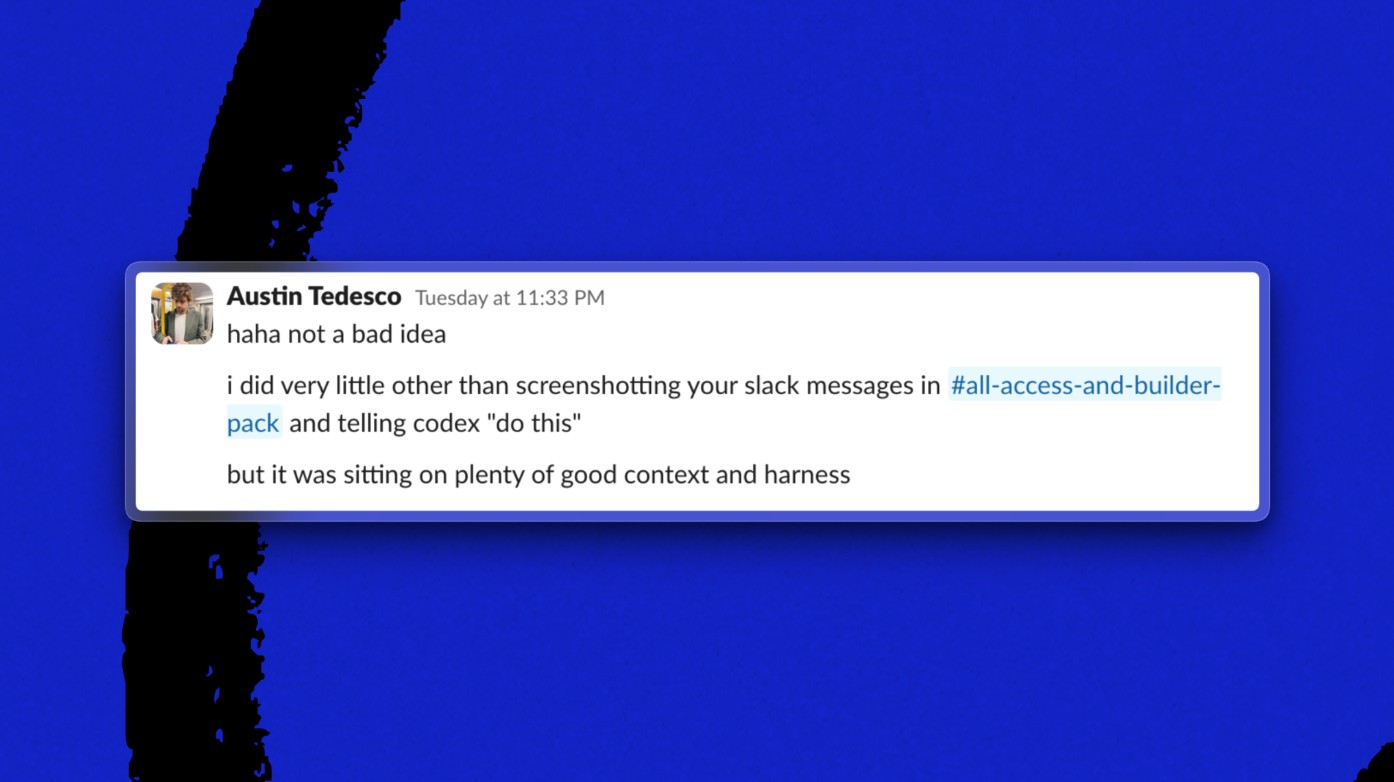
Head of growth Austin Tedesco has “abandoned skills entirely,” with one exception: compound engineering, a plugin that gives AI agents reusable workflows for planning, completing, reviewing, and learning from work.
In the lead up to our All-Access launch, Austin essentially one-shotted a series of marketing emails in Codex by pointing the coding agent at Slack messages with the relevant context and using compound engineering to nail the copy and structure.
One last thing
What’s on our radar
Thinking Machines dropped its first model
Called Inkling, the model is open-weight, positioned to compete on cost and the ability for developers to download and customize it. Helmed by ex-OpenAI CTO Mira Murati, Thinking Machines is positioning itself as an American-made alternative to more-cost efficient, open-weight models coming out of China, and less a direct competitor to frontier labs.
OpenAI is working on an AI companion
Bloomberg’s Marc Gurman reports that the frontier lab’s first consumer device will be a screenless smart speaker that serves as a humanlike AI companion, per anonymous sources. Still in development, the device will do things like manage smart-home appliances, play music, answer questions, and answer emails and texts, using a more advanced version of ChatGPT Voice Mode.
Siri got good
Apple’s iOS 27 beta features a new-and-improved version of its AI assistant. “I’m mostly impressed,” says engineering lead Andrey Galko, who finds that Siri is better at speech recognition and smarter than any other local model he’s tried on his iPhone. “I think Apple is going to do the same thing they always do: take good technology and make it mass market.”
Laura Entis is a staff writer at Every. You can follow her on LinkedIn. To read more essays like this, subscribe to Every, and follow us on X at @every and on LinkedIn.
Everyone’s a builder now. Every All Access gets you the full membership plus the Builder Pack—$7,000+ in credits for the tools we build with.



Related Essays

 Katie Parrott
 Every Staff
 Kieran Klaassen
A paid Every subscriber gifted you this article. Every is a bundle of writing and tools for making sense of AI, work, and what comes next.
Subscribe to the Every bundle
Comments