


Mike Taylor is the head of evals at Every and a co-author of "Prompt Engineering for Generative AI" (O’Reilly).

AI Could Do Anything. Then It Met PowerPoint.
Everyone hates making presentations. Too bad it’s so hard to automate them with AI.
Jun 29, 2026 · 23 min readUpdated Jul 26, 2026

Was this newsletter forwarded to you? Sign up to get it in your inbox.
As a consultant, I spend a lot of time in PowerPoint. Data doesn’t drive decisions, narrative does, and, love it or hate it, a slide deck presented on a glowing screen is the closest thing we have to our ancestors gathering around a campfire to tell stories.
The slides I made early in my career were ugly on purpose to show that my ideas were good enough—I didn’t need fancy formatting to convince. But if you won’t last long with that attitude in finance or consulting.
Clients see any lack of attention to detail as a sign that you can’t be trusted. Analysts pull all-nighters making slides pixel-perfect because they could get fired for using the wrong font or logo. Natalia Quintero, who leads the consulting practice at Every, learned this the hard way just weeks into her first job, when a company’s executive rejected the presentation her team was making over colors that didn’t match. If the colors were sloppy, he reasoned, the numbers were too.
We’re no Goldman Sachs or McKinsey, but at Every, we still have to communicate competency in our presentations. At the same time, we wouldn’t be a very credible AI enablement partner if we weren’t using AI to help us. The challenge is that AI-created decks often don’t tell a strong story—and that lack of narrative cohesion communicates the same thing as sloppy design: You didn’t care enough to pay attention to detail.
What follows is the story of our attempt to create the perfect PowerPoint with AI. We started with Claude’s and Codex’s PowerPoint skills, but neither could automate the process to the level of quality we needed. So we built our own. If you’re creating enough presentations—or your quality bar is similarly high—it may be worth following the same path.
Claude gets close, but can’t close every deal
When I joined Every in February, our consulting team was still making all our slides manually in Figma—about two to three decks per week. The first thing I tried was asking Claude Code to create PowerPoint slides for an upcoming presentation.
It didn’t go well:
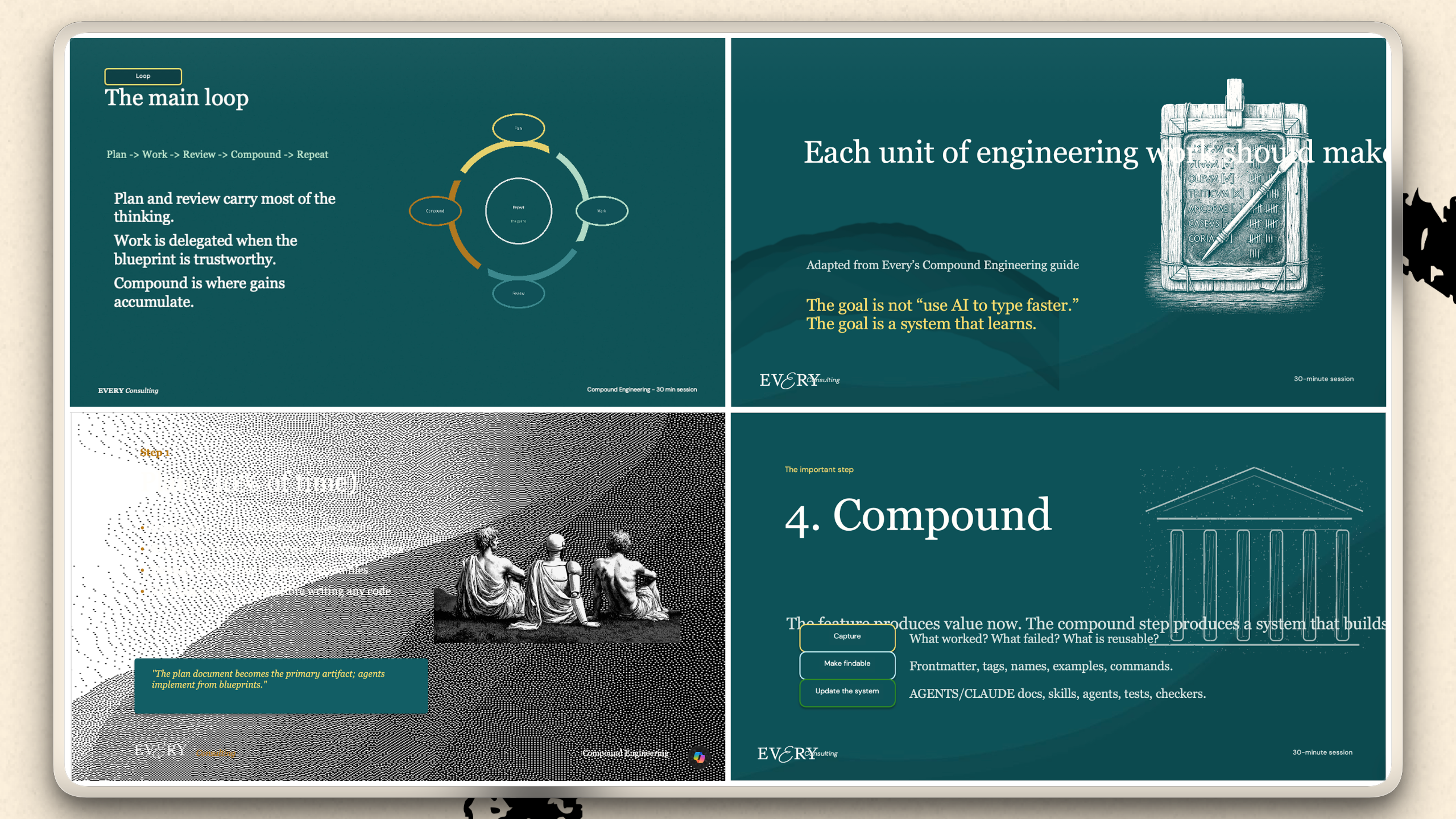
To make Claude work at all with PowerPoint, Anthropic had to invest a lot into creating its official pptx skill. A single markdown file doesn’t cut it. Its skill has 59 different files in the folder, 16 of them Python scripts for interacting with PowerPoint. The skill.md file itself is over 4,000 words, and there are an additional 3,000 words in reference files.
Claude is surprisingly good at building slides from scratch—not because it knows PowerPoint, but because a slide is fundamentally a layout problem. Arranging text blocks, images, and shapes on a page is the same thing HTML was built to do, and Claude writes HTML fluently. So it can lay out a polished deck and hand it back ready to present better than any of the dedicated AI deck creation tools on the market.
But the minute you use a company template, it goes off the rails. Matching an existing design and writing style is a hard task for AI because it requires spatial awareness, narrative structure, research diligence, design aesthetics, and good taste—all domains where humans still have the edge. For a well-researched presentation, you need to feed Claude a lot of material, and everything you give it counts against its context window, the amount of text it can read in one chat session. Pile in more than 200,000 tokens (roughly 150,000 words) and you hit context rot: The model starts to get confused and make dumb mistakes. Furthermore, Microsoft’s .pptx file format was never designed with agents in mind—it’s messy, token-inefficient, and hard to manipulate reliably.
An AI-generated deck that’s 80 percent right is often worse than one using no AI at all. Reviewing a polished-looking presentation for hidden errors is harder than building the right one yourself, and people over-trust AI outputs. In our pursuit of the perfect PowerPoint, we’ve found that automation only becomes genuinely useful when it gets you close to a zero-percent defect rate. Reaching that standard is possible—but only after an outrageous amount of work writing, testing, and orchestrating skill.md files.
The Anthropic skill also does a poor job of updating or editing old decks. Because .pptx files are stored as XML and Claude is trained on millions of times more HTML than XML, the model struggles to mentally render what it’s working on. It can’t reliably predict where text will wrap or images will overlap, so it’s making changes without really seeing the slide.
Training a superagent on slides
Our senior applied AI engineer Nityesh Agarwal took it upon himself to solve the PowerPoint problem. He adapted the Anthropic PowerPoint skill by adding several key features and incorporating it into our AI assistant, Claudie.
The biggest improvement came from...
Become a paid subscriber to Every to unlock this piece and learn about:
- Why a “blueprint-first” approach improved our AI slides drastically
- How many skills are included in a PowerPoint plugin Every created for a client
- Why most organizations shouldn’t spend resource of PowerPoint automation—yet
 Create a free account to continue reading
The Only Subscription
You Need to
Stay at the
Edge of AI
The essential toolkit for those shaping the future

"This might be the best value you
can get from an AI subscription."
- Jay S.
 Every Content
 AI&I Podcast
 Monologue
 Every Agent
Join 100,000+ leaders, builders, and innovators

Already have an account? Sign in.
What is included in a subscription?
Daily insights from AI pioneers + early access to powerful AI tools



 Front-row access to the future of AI
 In-depth reviews of new models on release dayPlaybooks and guides for putting AI to workPrompts and use cases for buildersIn-depth reviews of new models on release dayPlaybooks and guides for putting AI to workPrompts and use cases for builders
 Bundle of AI software








 Katie Parrott
 Every Staff
 Kieran Klaassen
Comments