


.png)


Was this newsletter forwarded to you? Sign up to get it in your inbox.
‘AI & I’: How Every builds a writing team in the age of AI
Today, we’re releasing a new episode of our podcast AI & I. Dan Shipper sits down with Every’s editor in chief, Kate Lee, to discuss how she views AI as an editorial leader and how she uses it daily. Kate’s career has spanned a stint as a New Yorker-featured literary agent to roles at Medium, WeWork, and Stripe.
Contrary to his “early adopter” persona, Dan classifies Kate as a “pragmatic knowledge worker,” someone open to AI, but who isn’t going to immediately change her workflow unless a tool makes her life better.
Watch on X or YouTube, or listen on Spotify or Apple Podcasts to learn what tools have convinced Kate. You can also read the transcript.
Here are the highlights:
- AI adoption clicks when it solves a real pain. Kate’s AI “aha moment” was when she used an agent on the Atlas browser to handle a dreaded Notion setup for hiring. The AI gave her a first pass on candidates and handled the administrative work, which made it possible to hire for multiple roles even when she had hundreds of applicants and no human resources department.
- Codifying taste into AI is the new editorial superpower. Kate built a 400-rule style guide and fed it into a Claude project so that writers and editors could check drafts with it before they reach her for a final check. Every piece arrives at Kate in better shape, freeing her to focus on whether a piece is the best it can be for Every rather than catching mechanical errors.
- Small teams can now do what big teams did, but it requires a certain mindset. Every went from four to 20 people while dramatically expanding its offering. Kate emphasizes that the step change happened around late 2024 and early 2025 when more powerful models and tools like Claude Code and Cowork emerged. That growth is only possible if you’re willing to learn new workflows and learn from others, she says.
Miss an episode? Catch up on Dan’s recent conversations with LinkedIn cofounder Reid Hoffman; the team that built Claude Code, Cat Wu and Boris Cherny; Vercel cofounder Guillermo Rauch; podcaster Dwarkesh Patel; and others, and learn how they use AI to think, create, and relate.
The machine translation problem
A friend recently translated a healthcare app into French. “It was the most painful work I’ve ever done,” she told me. Instead of asking for a full translation, the app’s creator gave her a machine-translated version to correct, arguing that it would cost less money. Given how poor the writing was, it would have been far quicker—and better—to translate the app from scratch.
I’ve felt the same way when I edit writing clearly generated with AI. Just like my translator friend, I often feel as if it would be easier to write it from scratch rather than trying to save it with an edit.
Besides the tells (staccato, lists of three), AI-generated text is flimsy. Poke it just a bit—what do you really mean?—and it falls down. It is the opposite of what I call “bulletproof writing,” a style that was drilled into me as a financial reporter at the Wall Street Journal. Each word printed was scrutinized by tough editors and even tougher readers—so they had to be intentional.
This could be avoided, or at least mitigated. Our staff writer Katie Parrott recently shared her process for using AI to write, and the most striking thing was how much work she does before drafting. She fed Claude examples of her writing, had it interview her about her preferences, and produced a style guide that lives inside a dedicated project. She treats the whole thing like a bonsai garden—she prunes old examples, adds new ones, and reruns the analysis. With this upfront investment, Claude has her DNA when she sits down to write. As someone who often edits Katie, I can tell the difference. The writing feels like her. Kate, our editor in chief, has also codified Every’s style guide in a Claude project that everyone can use, as she talks about in this week’s podcast.
Reading matters, too. It teaches you what good writing is—something Katie also believes. So before you summarize an article with ChatGPT, think again. What do you miss when you skip the actual text? Study the structure, the argument. Steal it.
Writing is still hard. Don’t let AI make you think it’s easy.—Eleanor Warnock
Log on
We host camps and workshops on topics like compound engineering and writing with AI to share the knowledge we’ve acquired from training teams at companies like the New York Times and leading hedge funds, and by learning and playing with AI every day ourselves.
Upcoming camps
- Claude Code for Absolute Beginners (April 14): Early bird registration is open for this beginner-friendly, live workshop led by Mike Taylor, head of tech consulting at Every, designed to get you from zero to a working project with Claude Code.
Recordings you may have missed
- Compound Engineering Camp: Cora general manager Kieran Klaassen showed how he builds with the compound engineering plugin, and walked through, step by step, the process of going from a single prompt to a working app in under an hour. Watch the recording or read the write-up.
- OpenClaw Camp: The Every team walks through OpenClaw from the ground up, showing step-by-step setup and the team’s favorite use cases. Watch the recording or read the write-up.
Straight from Slack
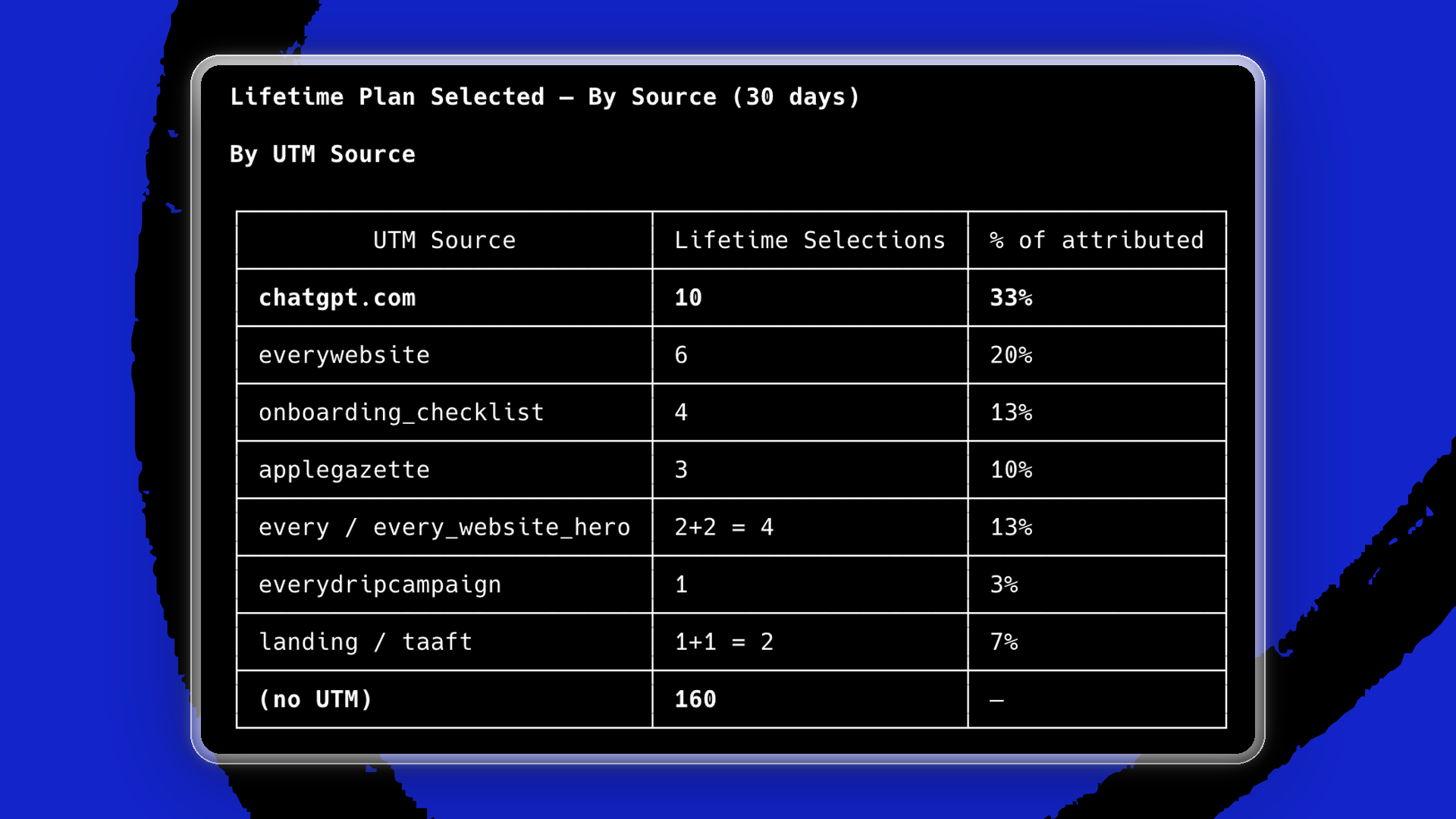
If you needed another reminder of the power of model context protocol (MCP), here it is. We’ve always had the product analytics platform PostHog installed, but linking it to AI like Claude through an MCP has given the team even deeper insights on which to base product decisions by asking simple questions in plain English. That data sourcing and interrogation would previously have taken hours. For example, PostHog data showed us that 33 percent of buyers of the lifetime plan of our file organization software, Sparkle—which costs $279—come through ChatGPT in the last 30 days. (The monthly plan is $15.)
The PostHog data fed through the MCP also helped the team notice that existing customers were pausing lifetime plans and then restarting them, suggesting that they were researching and considering the product.
“The PostHog MCP data flow is now effortless. It helps us to make decisions and cross-check them before we take them live,” says Sparkle general manager Yash Poojary. “You now have a top-tier product manager available to you. You just need to know which question to ask them.”
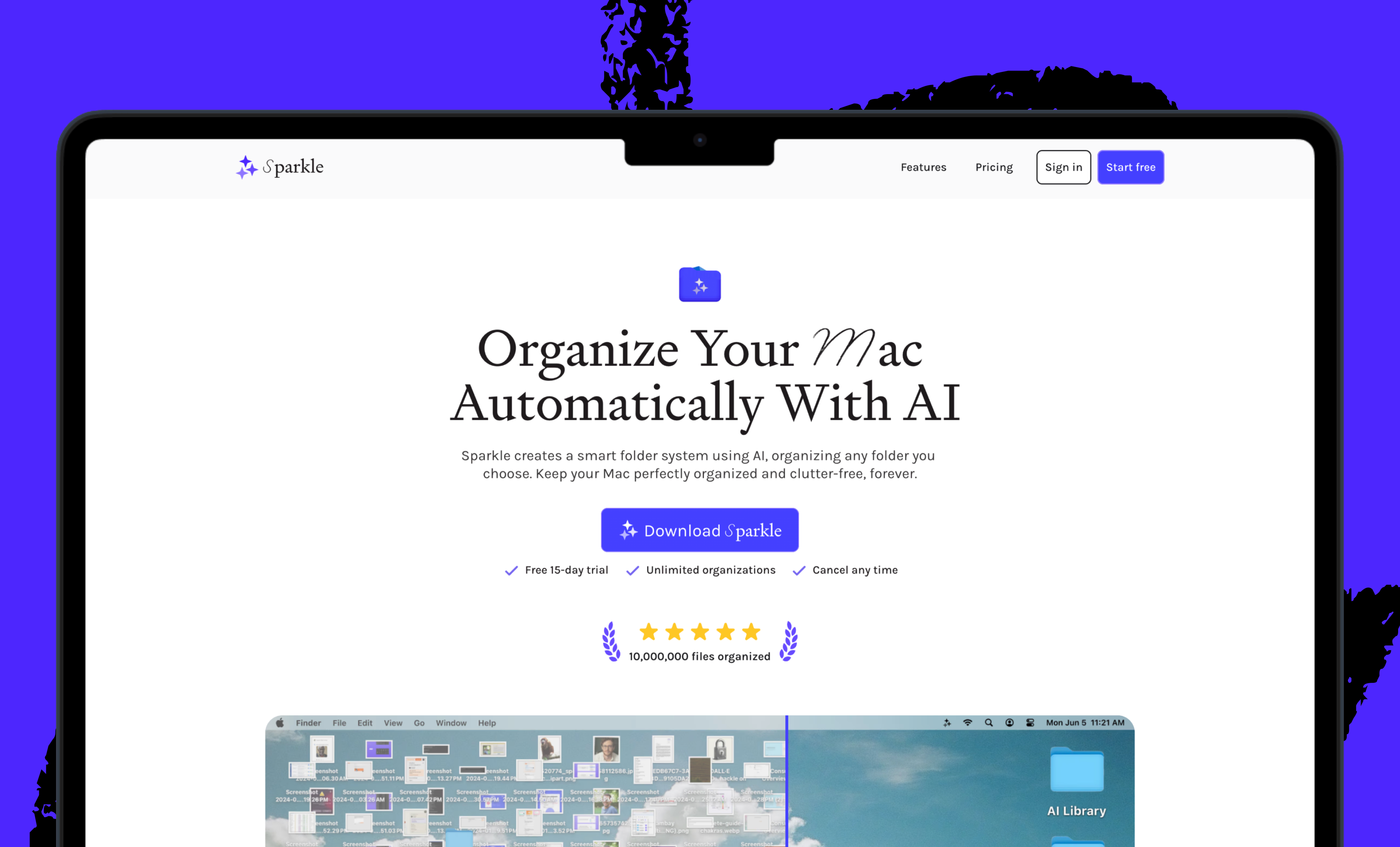
The new version of Sparkle launches on April 14 and will allow users to customize and create their own folder structure. Existing users will be upgraded automatically. The latest version is available already.
To read more essays like this, subscribe to Every, and follow us on X at @every and on LinkedIn.
We build AI tools for readers like you. Write brilliantly with Spiral. Organize files automatically with Sparkle. Deliver yourself from email with Cora. Dictate effortlessly with Monologue.
We also do AI training, adoption, and innovation for companies. Work with us to bring AI into your organization.
For sponsorship opportunities, reach out to [email protected].
The Only Subscription
You Need to
Stay at the
Edge of AI
The essential toolkit for those shaping the future

"This might be the best value you
can get from an AI subscription."
- Jay S.
 Every Content
 AI&I Podcast
 Monologue
 Cora
Cora
 Sparkle
 Spiral
Join 100,000+ leaders, builders, and innovators

Email address

Already have an account? Sign in
What is included in a subscription?
Daily insights from AI pioneers + early access to powerful AI tools




 Front-row access to the future of AI
 In-depth reviews of new models on release day
Playbooks and guides for putting AI to work
Prompts and use cases for builders
In-depth reviews of new models on release day
Playbooks and guides for putting AI to work
Prompts and use cases for builders
In-depth reviews of new models on release day
Playbooks and guides for putting AI to work
Prompts and use cases for builders
In-depth reviews of new models on release day
Playbooks and guides for putting AI to work
Prompts and use cases for builders
 Bundle of AI software




.png)
 Every Staff
.png)
.png)
 Reviews of new AI models on release day
Comments
Don't have an account? Sign up!