
Was this newsletter forwarded to you? Sign up to get it in your inbox.
Developers have been losing their minds over Claude Code for months—especially since the release of Opus 4.5. As for the AI-curious-but-non-technical among us, we’ve been watching from the sidelines, wondering when we’d get something similar. Now we have an answer.
Claude Cowork is a new, third tab in Claude’s desktop app—alongside Chat and Code—and it’s designed to bring Claude Code’s agentic, asynchronous workflow to everyone else. Claude Code is powerful, but it requires comfort with a terminal—the text-based command line developers use. Cowork offers the same “hand off a task and come back when it’s done” experience, but wrapped in a visual interface anyone can use.
We got access a few hours before the feature went live to Claude Max users and ran a two-hour livestream led by our testers Dan Shippper and Kieran Klaassen to share our findings. A few members of the Anthropic team joined, including an engineer from the team that built Cowork—more on that conversation below. If you’re interested in catching the full conversation, you can check it out in a special edition of AI & I. Watch on X or YouTube, or listen on Spotify or Apple Podcasts.
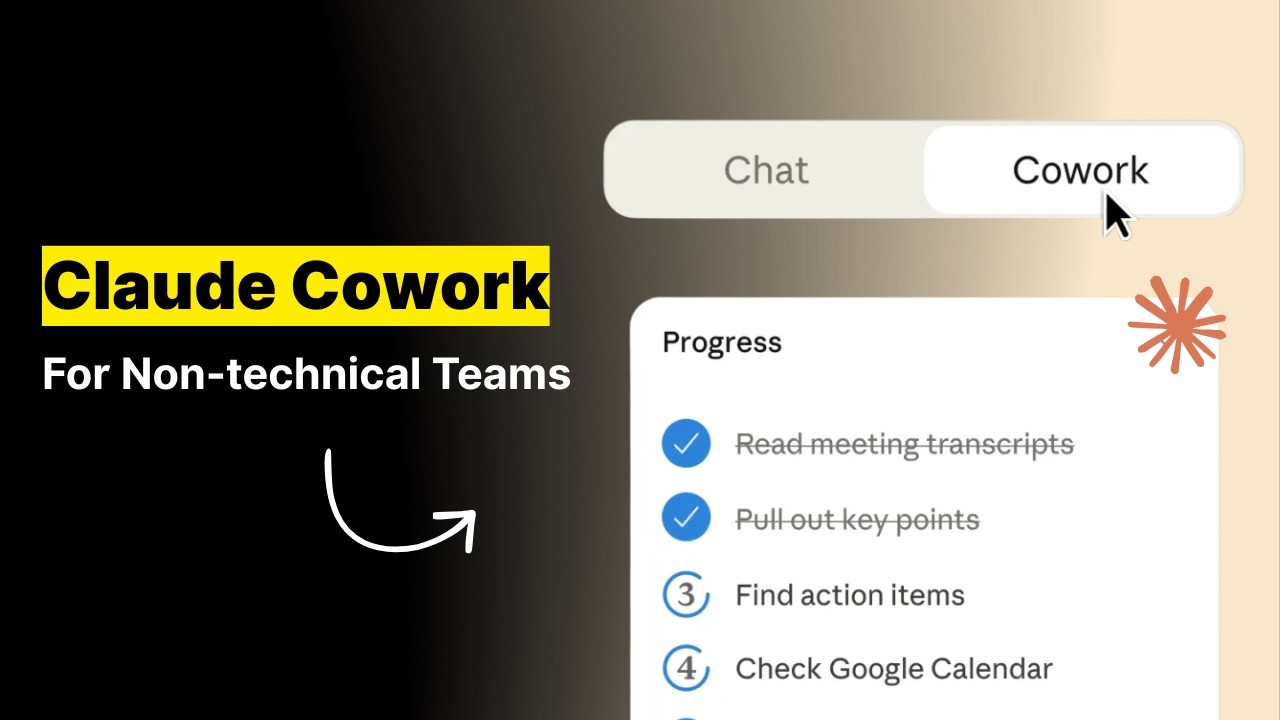
The most impressive thing is that Anthropic built Cowork in a week and a half. The team had been prototyping ideas around “Claude Code for non-coding work” before Christmas, but the holidays clarified the opportunity. More people were discovering Claude Code and using it for tasks outside programming, so they accelerated the timeline—a powerful example of just how much the velocity of product development has changed with AI.
Here’s our day-zero verdict: Cowork is genuinely new—no other company is doing exactly this— but there are rough edges that will require some patience while the Anthropic team smooths them out. The capabilities aren’t as robust as Claude Code, and it’s available exclusively through the Claude macOS app (no web or mobile access at this time). But if you’re a Max subscriber (the $100 tier) with patience for a research preview and curiosity about what asynchronous AI work feels like, Cowork is worth exploring now. If you need polish, give it a few weeks.
What is Claude Cowork?
Think of Cowork as chat that has access to your computer and doesn’t give up after two minutes.
In Claude’s chat interface, you send a message, wait for a response, then send another message. You can’t interrupt or redirect mid-stream—if Claude is responding, you’re stuck waiting.
Cowork is different. You can queue up additional messages while it’s working, more like leaving notes for a colleague than having a conversation. Tasks run for 30 minutes, an hour, or sometimes longer without Claude needing you to tell it to continue.
The other big shift: Cowork runs locally on your Apple computer. It can read and edit files in folders you approve, and if you connect it to Chrome, it can browse your logged-in sessions, including your Gmail, analytics dashboards, and social feeds. Under the hood, it’s built on the same foundations as Claude Code, but it’s wrapped in a graphical interface that doesn’t assume you know what a terminal is.
Cowork lives in its own tab, and your chats are local, not synced across devices. There’s no mobile interface or Windows compatibility yet. On the plus side, Skills—packets of custom instructions you can install in Claude to handle specific tasks, like following your company’s style guide or applying design principles—automatically load into Cowork.
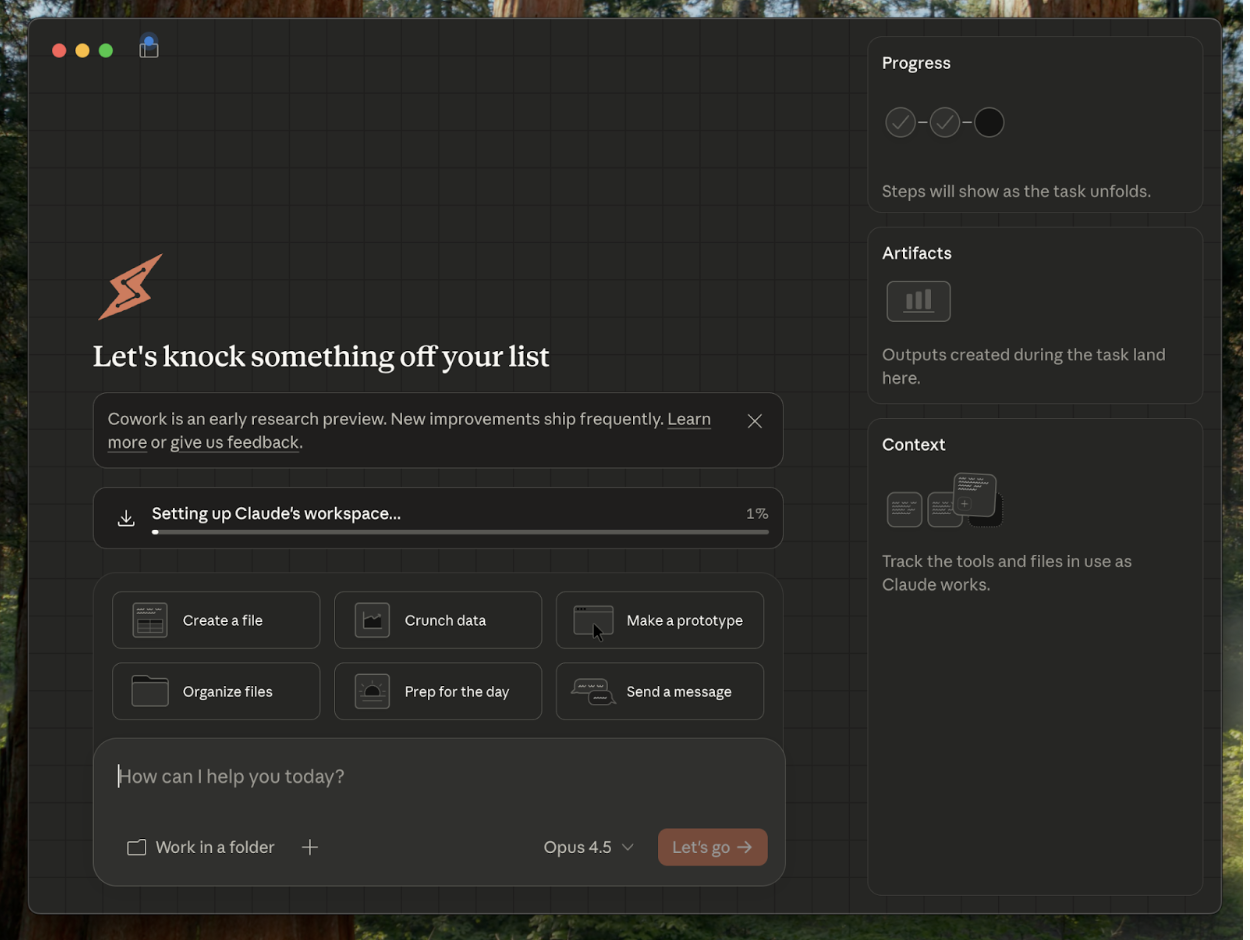
Strategically, this is offense, not defense. No direct competitor offers a GUI-wrapped agentic assistant with local computer access for non-developers. Anthropic is staking out the “asynchronous AI assistant” category before anyone else defines it, betting that the millions of knowledge workers who watched developers fall in love with Claude Code are ready for their own version.
The Reach Test
Kieran Klaassen, general manager of Cora
Rating: Concept 🟩 / execution 🟨
“The UI is janky, but the concept excites me—this is the opportunity to give non-developers their Claude Code moment. The async workflow, the skills integration, and the local computer access—it’s genuinely new, even if the interface needs work. I don’t see any other company attempting this.”
Dan Shipper, cofounder and CEO
Rating: Concept 🟩 / execution 🟨
“You won’t realize how useful Cowork is until you use it. The learning curve is real—non-technical users aren’t trained to think about working with AI as async, and building that muscle takes time. But once you experience handing off a task and coming back an hour later to find it done, something clicks.”
Putting it through its paces
Cowork’s killer feature is persistence at non-coding tasks: It doesn’t quit the way the chat interface does.
The calendar audit that ran for an hour
Dan asked Cowork to go through the past month of his calendar, categorize how his time was spent, and compare it against his goals. Regular Claude would answer in a few turns and call it a day. Cowork ran for about an hour, browsing Chrome to access his calendar, scrolling through entries, and categorizing meetings. It produced a breakdown: lots of standups, many one-on-ones, a suspicious number of podcasts. It noted that many days had more than 10 to 15 events and asked follow-up questions about priorities.
The analysis itself was solid—Cowork categorized his time accurately and flagged known patterns. There was one hiccup: It asked Dan about his priorities, which he felt Claude should already know from memories. It’s unclear whether Cowork has access to Claude’s memory system yet, or if this is a limitation of the research preview.
But the persistence was the point. Regular Claude would have stopped after a few turns and asked if he wanted it to continue. Cowork ran for an hour without breaking stride.
Ad hoc analytics without technical setup
Dan wanted to know how many people clicked the “Chat with Claude” button in our recent guide to agent-native architectures. Normally, he’d ping Andrey Galko, our engineering lead, to pull the numbers from PostHog (our analytics platform of choice). Instead, he connected Chrome—where he was already logged into PostHog—and asked Cowork to find the data.
It worked. Cowork browsed to PostHog, navigated to the right dashboard, and returned: 4,000 clicks. There was no need for a complicated setup or API access; it read the screen like a human would. That’s the kind of ad hoc question that previously caused friction because it’s not worth proper automation but still requires bothering someone. Now it doesn’t.
Email drafting with context
Dan had a dinner to attend and needed to prepare remarks. The organizer had emailed asking what he wanted to talk about. He asked Cowork to find the email thread and draft a response based on what it thought he would say.
The Gmail connector wasn’t working, so Cowork used Chrome instead. It found the thread, understood the context, and drafted something Dan said sounds like him—sendable with minimal edits. The multi-step reasoning happened without Dan specifying each step.
Skills composability in action
Kieran is a Claude Skills maximalist: He has Skills for Swiss design aesthetics, 3D printing, music production plugins, and coding critiques in the style of Rails creator David Heinemeier Hansson. He asked Cowork to design a chair following Swiss design principles and create a file for 3D printing.
Cowork summoned both Skills, followed the aesthetic guidelines, generated the geometry, and output a printable file. The chair looked good, and Kieran is going to print it. That’s the point of Skills—capture your preferences once, and Cowork applies them automatically.
Google Docs remains the final boss
Dan’s semi-serious bar for AGI is whether AI can do copy edits in a Google Doc. We have a proofreading skill with all our style rules. He gave Cowork the skill and a document link and asked it to make edits as suggested changes.
Cowork got into suggesting mode, which was promising. Then it tried to use find-and-replace to make individual edits, andnd struggled. Google Docs looks simple, but under the hood it’s surprisingly complicated, and AI computer use just isn’t good enough yet to manipulate it reliably. Dan coached it mid-task, but it still had trouble selecting text and implementing changes. The attempt didn’t fail completely, but it didn’t succeed, either.
Live thoughts from an Anthropic team member
Felix Rieseberg is a member of the technical staff at Anthropic and part of the team building Cowork. He was kind enough to join us on our livestream and talk about how the product came together.
The timeline was aggressive: a week and a half from sprint start to ship. The team had been prototyping ideas around “Claude Code for non-coding work” since before Christmas, but the holidays clarified the opportunity. More and more people were using Claude Code for everything—not just programming—and Anthropic decided to launch something early and iterate in the open rather than polish the app in isolation.
The separate tab is strategic, but not necessarily permanent. Felix described it as a “construction site”—a space where Anthropic can ship updates almost daily without destabilizing Chat. They want users to approach Cowork with different expectations: experimental, faster-paced, and rougher around the edges. The local-only architecture lets them move quickly without worrying about syncing infrastructure yet.
On the future of AI interfaces, Felix thinks the chat input paradigm—a text box where you say what you want—will stick around longer than people expect. But he’s less sure the trajectory of AI will be to add more and more surfaces. He drew a parallel to early Google: There were separate search boxes for every sub-product, which eventually collapsed into one universal bar. He suspects AI interfaces will follow a similar consolidation.
The customization layer Felix is most excited about is Skills. Instead of writing model context protocol tools with specific harnesses—the scaffolding code that connects AI to external services and controls how it behaves—he’s been writing Skills that describe how Claude should approach a task. For developers, such tasks include design guidelines for dashboards, rules for a training plan, or aesthetic principles for a project; and for non-technical people, formatting a weekly report, prioritizing researching competitors, or organizing files. Skills load automatically into Cowork, and as models get smarter, the same skill files produce better results without any changes.
Learning to work differently
Cowork is less a new feature than it is a new way of working, and that’s harder to adopt than a new button.
If you’re non-technical, you’re used to a world where you send a prompt and get a response within a couple minutes or shorter. Once you send a prompt, you can’t do anything else with that AI—you have to move on to something else. Cowork is built for working with AI asynchronously. You can kick off multiple tasks, let them run in parallel, and check back when they’re done. It’s designed for saying “go do these things” and coming back later to review the results.
Kieran sees a parallel to what happened with coding. Engineers started with copy-paste into ChatGPT, moved to Cursor, then evolved to “I don’t look at code anymore.” He thinks there will be a similar transition for people who do research and analysis—from manually browsing and clicking to handing off a taskand reviewing the output later. Dan is already there. Most people aren’t.
The separate tab signals that Cowork is different from Chat. Whether that signal is clear enough to change how mainstream users think about AI work is an open question. But for those willing to rewire their habits, there’s something genuinely new here.
How it stacks up
Cowork versus Chat is straightforward: Chat is turn-by-turn and quick, Cowork is asynchronous and persistent. It’s the same model intelligence with a different interaction paradigm. If you want a fast answer, use Chat. If you want something done that takes 30 minutes of browsing and thinking, use Cowork.
Cowork versus Claude Code is a question of audience. Code assumes you’re comfortable in a terminal. Cowork assumes you’re not. It’s the same underlying foundations with a friendlier interface. If you’re a developer, Claude Code is still probably your tool of choice. If you’re a researcher, analyst, marketer, or operations person who wants the same agentic workflow without learning command-line tools, Cowork is for you.
Cowork versus OpenAI’s Deep Research in Chat is more interesting. Deep Research can run for an hour and produce comprehensive reports, but it runs on OpenAI’s servers and can only do research—it can’t take action on your computer. Cowork runs locally, so it can browse your logged-in services, edit your files, and do things, not just find them. The trade-off is that you have to approve folder access one by one and connect Chrome manually, and the interface is rougher around the edges. There’s also pricing to consider: Deep Research is available only at ChatGPT’s Pro tier, which costs $200—twice the price of admission for Cowork access.
What Cowork replaces is harder to pin down. The honest answer is manual workflows. The competitor is the 30 minutes you’d spend doing research yourself, or the Slack message asking your data scientist to pull analytics, or the tedious process of organizing files manually. Cowork is trying to be the colleague you hand tasks to and trust to figure it out.
The verdict
Cowork is worth testing now if you’re a Max subscriber curious about asynchronous AI workflows. It’s worth watching for everyone else.
For researchers and analysts, this is designed for you. If your work involves browsing logged-in services like analytics platforms or customer research managers to pull data, or running tasks that take more than 30 minutes of clicking around, Cowork can do that while you do something else.
For developers already using Claude Code, you might find Cowork useful for non-coding tasks—planning, research, brainstorming—where the graphical interface feels more natural than the terminal. Kieran noted he’d use Cowork for product brainstorming even though he lives in Claude Code for development.
For mainstream users new to agentic AI, there’s a learning curve. The asynchronous paradigm requires unlearning chatbot habits like waiting for each response before moving on and expecting answers within seconds. If you’re patient and curious, start experimenting. If you want something that works immediately without adjustment, this isn’t ready yet.
If you do switch, you’ll gain asynchronous task handoff, 30-plus minute persistence, local computer access, Chrome browsing for any logged-in service, and Claude Skills integration for customization. You’ll lose polish, a predictable user experience, cross-device syncing, reliable Google Docs editing, and your muscle memory from Chat.
The core idea—asynchronous, agentic work for everyone—is right. The execution will catch up.
Katie Parrott is a staff writer and AI editorial lead at Every. You can read more of her work in her newsletter.
To read more essays like this, subscribe to Every, and follow us on X at @every and on LinkedIn.
We build AI tools for readers like you. Write brilliantly with Spiral. Organize files automatically with Sparkle. Deliver yourself from email with Cora. Dictate effortlessly with Monologue.
We also do AI training, adoption, and innovation for companies. Work with us to bring AI into your organization.
Get paid for sharing Every with your friends. Join our referral program.
For sponsorship opportunities, reach out to [email protected].
Help us scale the only subscription you need to stay at the edge of AI. Explore open roles at Every.
The Only Subscription
You Need to
Stay at the
Edge of AI
The essential toolkit for those shaping the future
"This might be the best value you
can get from an AI subscription."
- Jay S.

Join 100,000+ leaders, builders, and innovators

Email address
Already have an account? Sign in
What is included in a subscription?
Daily insights from AI pioneers + early access to powerful AI tools





Comments
Don't have an account? Sign up!