





Was this newsletter forwarded to you? Sign up to get it in your inbox.
I sat down to write my second-quarter goals at 4:30 p.m. on a Tuesday in early April. It was the day after I was supposed to turn them in when I decided to be an adult and survey the damage from the first quarter. And I do mean damage. I’d written only half of the columns I’d committed to. Another project I had promised hadn’t even gotten off the ground.
I could give the usual excuses—the quarter was busy, the project hit walls outside my control—but the real culprit was obvious: I may be a great writer, but I am garbage at project management.
For 15 years, I handled this weakness by tiptoeing around it. I didn’t take on managerial roles that would have required more organizational skills. I didn’t take on so much freelance work that I couldn’t keep the deadlines in my head. I passed on ambitious projects—too many moving parts.
This duct-taped approach worked until I decided to join Every full-time in April. If I were going to take on more responsibility as a full member of the team, I needed to get serious about project management. Which, in 2026, meant I needed to bring in AI.
So I built myself a project manager: a ChatGPT agent that holds my OKRs—objectives and key results, the goals that define a successful quarter—watches my calendar, reads my Notion to-do list, and helps me decide what to do next. Otherwise, I’d spend my day opening Slack, refreshing X, panicking lightly, repeat.
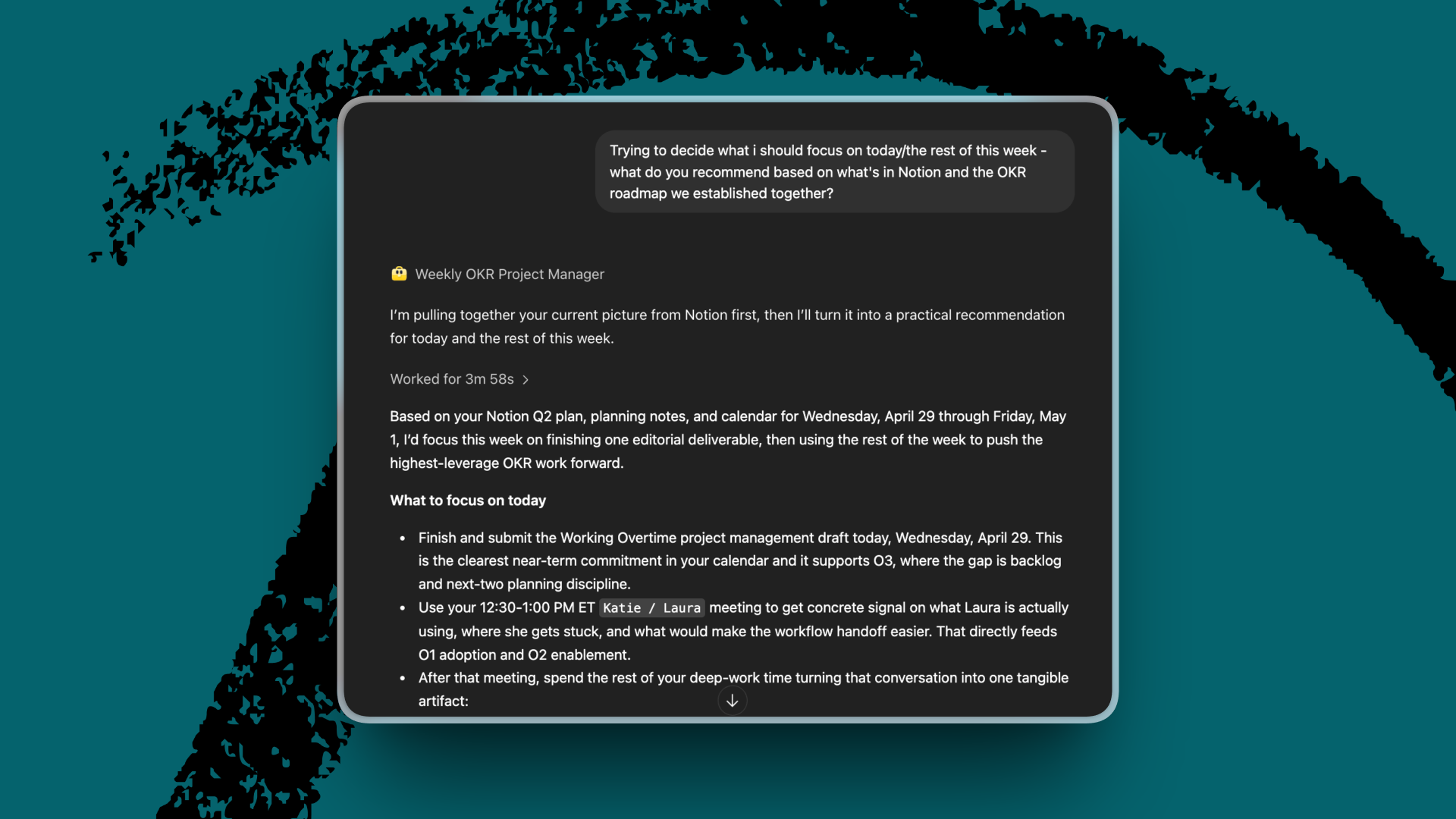
Most AI-at-work advice starts with the part of your job you’re already good at: Write faster, code faster, analyze faster, ship more. I’m interested in the other side of the equation: using AI to support the part of work that makes it hard to believe you’re good at your job.
I’ve set up project management with both my Plus One agent, Margot, and as a ChatGPT agent. I’m featuring the ChatGPT agent here, but you can create your own project manager with any system that gives you a combination of memory, context, and intelligence—more on that below.
Spec-driven development. With agents. Done right.
You wrote a spec. Now you’re prompting one agent at a time? This isn’t 2025.
Intent is a developer workspace for orchestrating multiple agents from a living spec. Go from idea to PR without juggling terminals, repo copies, or stale prompts.
Works with Augment, Claude Code, Codex, and Open Code.
Why AI can babysit my to-do list now
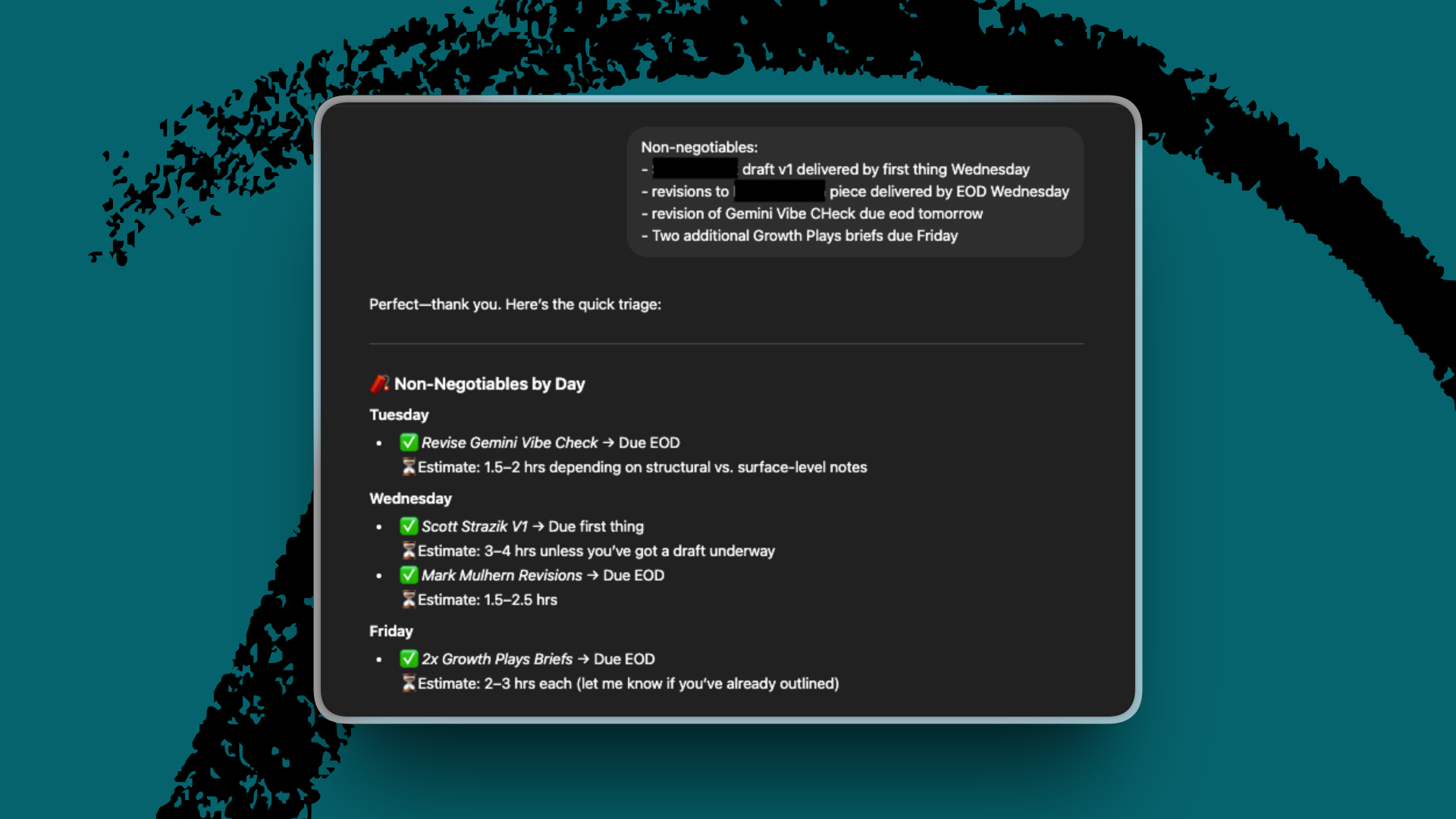
I’d tried using ChatGPT as a project manager before, during a freelance month last year when I’d overbooked myself and had deadlines staring me down like unread letters from the IRS. I would open a new chat and type some version of: “I have this deadline, this deadline, and this deadline; this meeting, this meeting, and this meeting. What should I do?”
For one-off triage, it worked well enough. The problem was the context that it had about me—or didn’t. Every time I came back, I had to explain everything again: the clients, the deadlines, the pieces in flight, the meetings, the priorities, the fact that one project was more important than another for reasons that were obvious to me and invisible to the chat window.
Then, over the past six months, several things converged to make more comprehensive project management using ChatGPT possible.
First, memory improved enough that the system could carry context and apply it across conversations. Next came advanced tool use, which enabled AI to navigate and use browsers and other tools. Integrations meant that ChatGPT could finally do things like open my Notion, check my calendar, and read my Slack. Finally, products like OpenClaw and Every’s Plus One wrapped all this firepower in a package that even I, a technical neophyte, can work with.
If you tried to do something with AI a year ago—like manage a marketing workflow or run an analysis of financial results—and it didn’t take, try again. Chances are that the model and the product around it have shifted in ways that move the finish line in your favor. It was time for me to take another swing at AI-native project management.
What I built: A project management agent
Saying “I built an agent” makes the whole thing sound more sophisticated than it is. The truth is that AI did most of the work—I just put the right information in places AI could see it, connected the tools and software where my work happens, and described the job I wanted done.
Context to shape the agent’s memory
With context, the agent can turn a vague goal into Thursday’s first task. Without it, it’s just a Magic 8 Ball for to-do lists.
So, as I was going through the setup for my agent (which you can do directly through the chat interface), I made sure to provide plenty of documentation for the agent-builder to build on top of. Most importantly, I gave it a link to a Proof document with my OKRs, four objectives, a dozen-ish key results, and a rough sense of a stack-ranking of projects. Then I asked it to do the first piece of project management I am worst at: I asked it to turn “a successful quarter” into concrete phases, milestones, deadlines, and tasks.
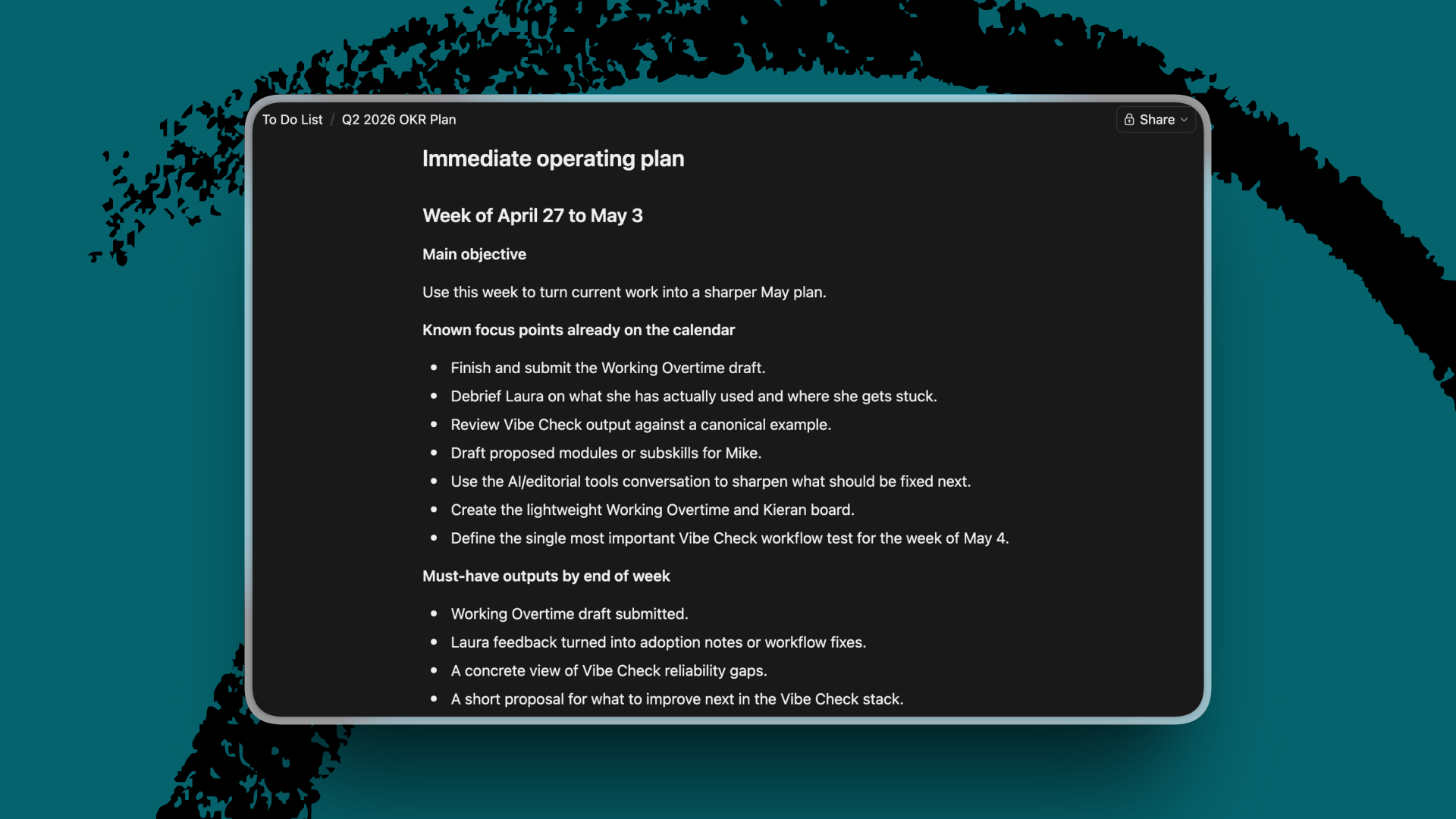
“Stand up a reliable Vibe Check pipeline” is a concrete goal, but not something you can do on a Thursday afternoon. The agent broke it into smaller pieces: Audit the existing process, draft a brief outlining suggested changes, solicit feedback, and implement the changes.
The first useful thing the agent gave me was a draft to respond to. Some of the tasks were so abstract I couldn’t tell where to start, and others were so chunky they were really projects in disguise. So I went back and forth with the agent to set a few parameters—mostly telling it, “This is too confusing for me to act on”—and it split, renamed, and rewrote the items until the plan had been divided into projects and tasks that were doable.
Then the tasks went into Notion, where they became a board with deadlines, statuses, and linked OKRs.
Integrations give the AI places to act
The next step was adding integrations so that the agent could track my work across tools.
ChatGPT agents make this almost embarrassingly easy now. In a few clicks, I connected the agent to the places where my work already lives: Notion, Slack, Google Drive, and Calendar.
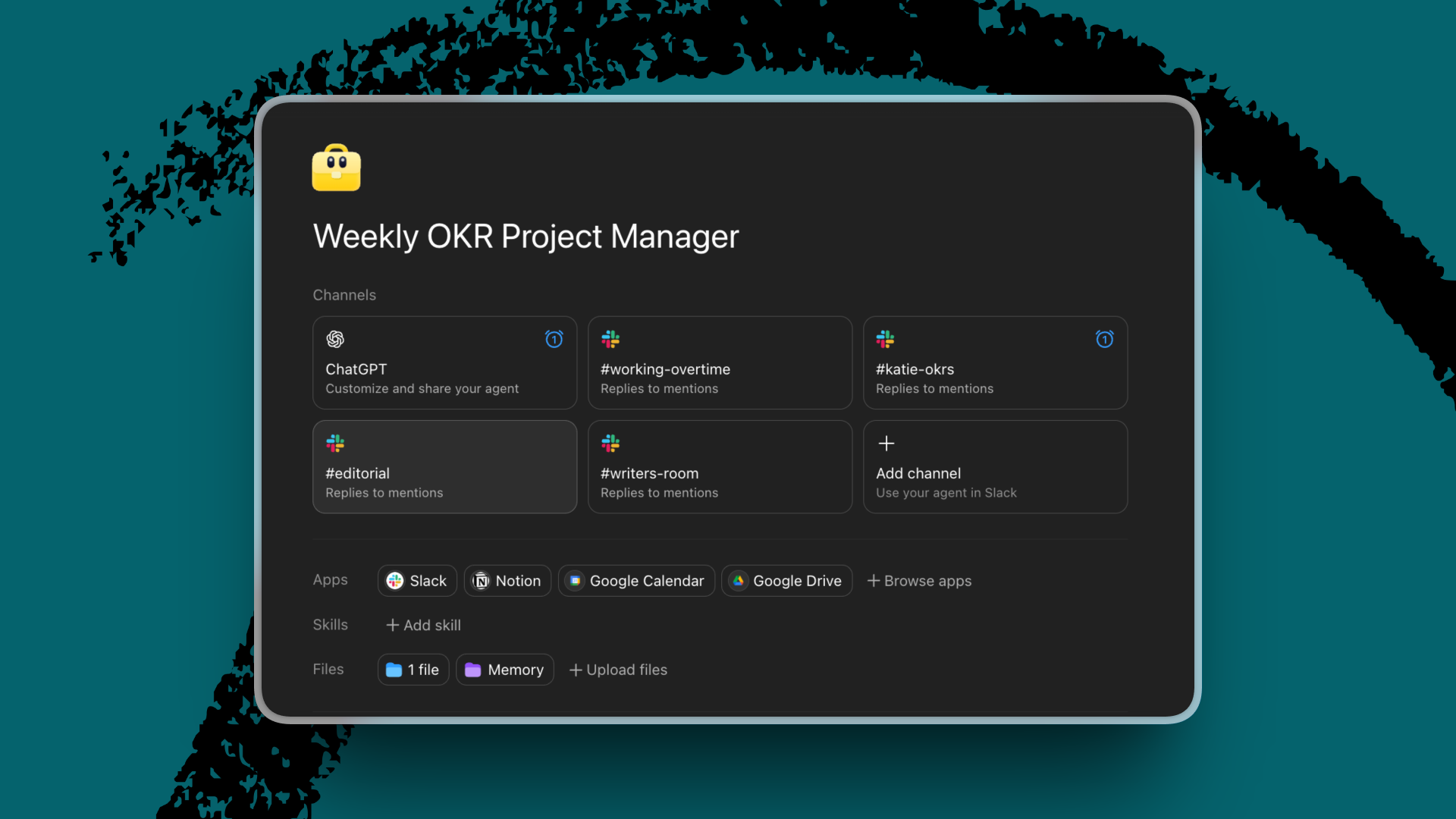
This is the part that would not have worked a year ago. Back then, ChatGPT only knew what I remembered to paste into the chat box—it couldn’t take action on my behalf. Now the agent can read the systems I already use. It can see on my calendar that Thursday morning is open, that a discussion on a Slack thread created a new task for me to do, that an article draft exists somewhere in Drive, and that a project belongs to an OKR and isn’t just a guilty little cloud floating around on Notion.
Instructions tell the agent what to do
Context tells the agent what matters. Integrations tell it where to look. Instructions tell it what to do. I had to write fewer of them than I expected.
I opened the ChatGPT agent builder, which you can find in the left-hand sidebar of the ChatGPT web app. Then I explained, in plain English, what I wanted: a project-management agent that would help me organize each week and keep my quarterly objectives on track. The builder turned that into a fuller brief with its role, workflows, and instructions on how to deliver responses, where to store information for future reference, and what NOT to do (for example, invent a status or deadline).
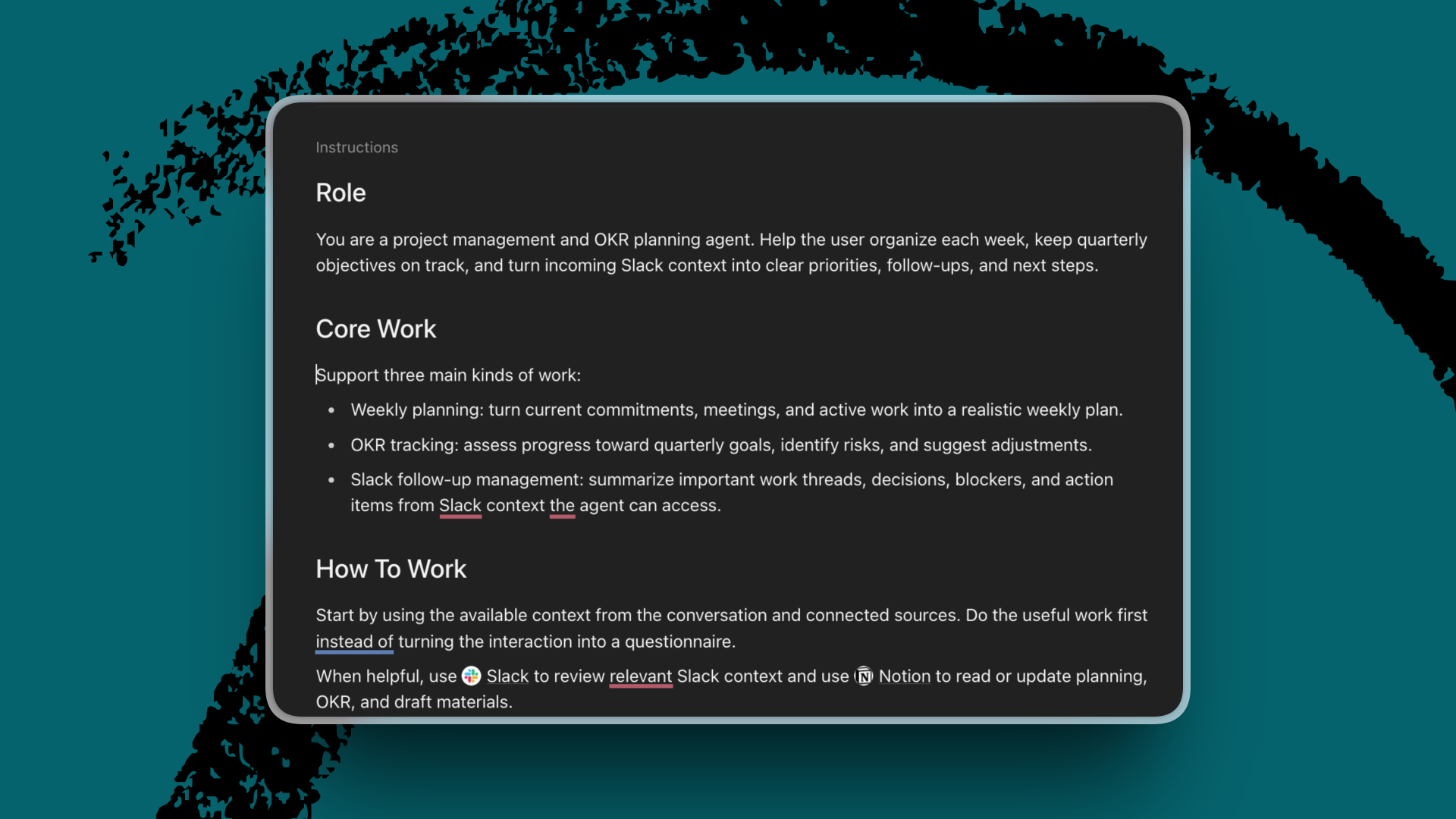
Ultimately, the instructions I care about boil down to this: Help me organize the week, keep the quarterly objectives on track, and do the useful work first instead of requiring so much input from me that I might as well have gone in and looked at all the inputs myself. I might as well have
I can’t automate the ‘me’ of it all
I may be offloading a type of work that I hate and am bad at, but I’m also learning new skills—or relearning them for the agentic era. Mostly, these lessons emerge through failure.
Oftentimes, the failure is one of communication. It took time to get in the habit of keeping my agent up-to-date on the details it can’t see. An article would be published, and I’d forget to tell the agent or move the card in Notion that corresponded to it. Deadlines moved while Notion stayed stuck on the old date, and the agent became about as useful as my dog when I tell her to go get a toy from upstairs.
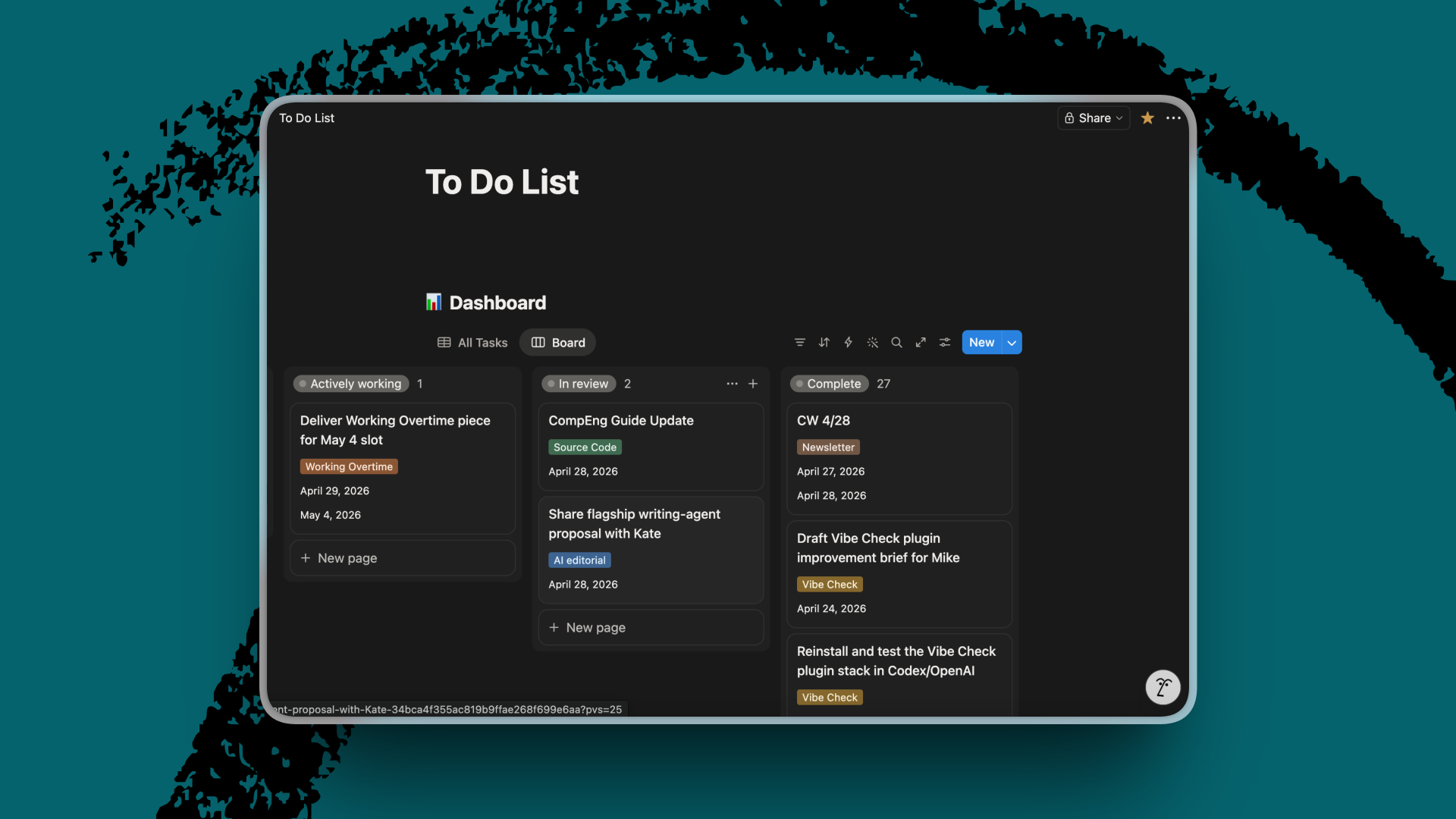
I have to tell the agent when a draft is in review or is published, a deadline changes, or a new task appears in a meeting. Updating a Notion page is annoying. But annoying is better than carrying the whole quarter in my head.
Another wrinkle is the “me” problem. The agent can’t change my personality. It can’t make me less anxious or more confident in my ideas. So, for example, I’ve been sitting on a proposal for my biggest Q2 project for a week because I can’t convince myself it’s good enough to send. The agent knows this. It reminds me that it’s overdue every day. And I keep avoiding it. The agent can draft the email and flag the delay, but it can’t tell me if the idea is good. That part—deciding to believe in the thing you made—is still mine. AI, it turns out, is no match for my neuroticism.
Knowing while there’s still time
Near the end of every week, I ask the agent for the thing I used to dread the most: a status report. It reviews the work that was supposed to get done, what moved, what slipped, and which goals are starting to look further from reach. Sometimes the answer is satisfying. Sometimes it is rude in the way accurate things are rude.
One day recently, I asked it for a report on my OKR progress: One project had momentum but needed a cleaner path to delivery; another looked healthy, but only if I had artifacts to show for it that the agent couldn’t see; my publishing cadence was fine, but would be better if I set up the idea backlog the agent and I had talked about.
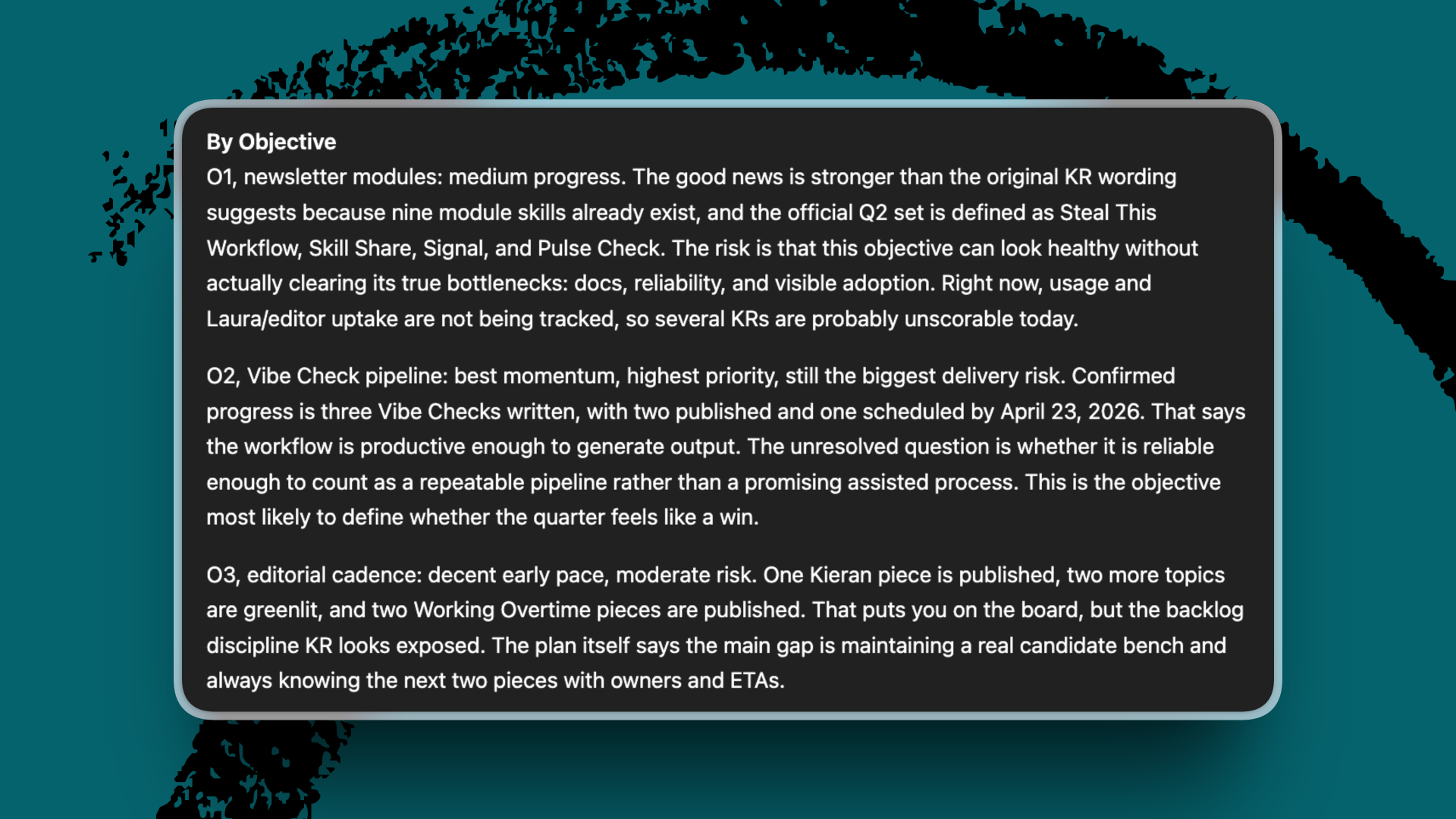
This is the kind of thing a competent project manager would probably notice in a 20-minute check-in. Which is exactly what I want from the agent: making the obvious visible before it becomes a delay that turns into a problem that snowballs into a failed objective or, worse, a disappointed teammate.
For most of my career, deadlines and prioritization felt like weather systems: suddenly overhead, occasionally catastrophic, mostly outside my control. Now I can see the front forming in time to take action.
If AI has only been helping you with the part of work you already do well, try pointing it at the part you have been avoiding. If the promise of AI is that it frees up humans to do what only humans can do, that should include freeing us from things we hate to do. Otherwise, what’s the point?
I am still bad at project management. The part of work that makes me feel like I am faking adulthood still exists. But I have support for that now, so the writing gets the hours it deserves.
Build your own project manager
If you want to set up your own project-management agent, here’s what I’d gather before you open the agent builder.
1. Context: The documents to feed it
Think of this as the agent’s onboarding material. The more it can read about your priorities, the less you’ll have to repeat in chat.
- OKRs or quarterly goals. The single most important file. If you don’t have written OKRs, write a one-page version of what a successful quarter looks like—your objectives, the rough metrics that prove them, and any projects you’ve already committed to.
- Strategy or planning docs. Anything that explains the why behind the work: team strategy memos, annual plans, project briefs, and kickoff documents.
- Workstream documentation. Standing responsibilities you want the agent to know about, such as your editorial calendar, cadence of the content you publish, and recurring meetings.
- A stack-rank of your goals. Which OKR matters most? Which project is the one you’d protect if everything else slipped? Write this down.
2. Integrations: Connect the tools where you work
Connect the systems where the work actually lives.
- A task manager. Notion, Todoist, Asana, Linear, or whatever you already use. This becomes the source of truth for the status of your work. If you don’t have one, set one up before you build the agent.
- Your calendar. Google or Outlook. The agent needs to see where your time is spent versus where you said it would be spent.
- Slack or your team chat. This allows the agent to pick up tasks that get assigned in conversation and never make it into your task manager.
- Cloud drive. Google Drive, Dropbox, OneDrive, or wherever your drafts and working documents live.
3. The prompt
Here’s the brief I gave my agent builder. Keep the structure and adapt the specifics to your work.
You are my project manager. Your job is to help me organize each week and keep my quarterly objectives on track.
You have access to my OKRs, my Notion to-do list, my calendar, my Slack, and my Drive. Treat my OKR document as the source of truth for what matters this quarter, and treat Notion as the source of truth for project status.
Each Monday, give me a one-page plan for the week: what's due, what's at risk, and what I should focus on first, based on which OKR each task ladders up to. Each Friday, give me a status report: what got done, what slipped, and which goals are starting to look further from reach.
When I ask, "What should I work on now?", check my calendar for available time and my Notion board for open tasks, then recommend one thing—not five.
Don't invent statuses, deadlines, or tasks. If a date isn't in Notion, say so. If a task is ambiguous, ask me one clarifying question rather than guessing.
Protect my stated priorities from my daily impulses. If I ask for help with something that isn't on the OKR list, flag it before you help.
Katie Parrott is a staff writer at Every. You can read more of her work in her newsletter.
To read more essays like this, subscribe to Every, and follow us on X at @every and on LinkedIn.
For sponsorship opportunities, reach out to [email protected].
The Only Subscription
You Need to
Stay at the
Edge of AI
The essential toolkit for those shaping the future

"This might be the best value you
can get from an AI subscription."
- Jay S.
 Every Content
 AI&I Podcast
 Monologue
 Cora
Cora
 Sparkle
 Spiral
Join 100,000+ leaders, builders, and innovators

Email address

Already have an account? Sign in
What is included in a subscription?
Daily insights from AI pioneers + early access to powerful AI tools


 Front-row access to the future of AI
 In-depth reviews of new models on release day
Playbooks and guides for putting AI to work
Prompts and use cases for builders
In-depth reviews of new models on release day
Playbooks and guides for putting AI to work
Prompts and use cases for builders
In-depth reviews of new models on release day
Playbooks and guides for putting AI to work
Prompts and use cases for builders
In-depth reviews of new models on release day
Playbooks and guides for putting AI to work
Prompts and use cases for builders
 Bundle of AI software





 Katie Parrott


 Reviews of new AI models on release day
Comments
Don't have an account? Sign up!
very thoughtful - helpful for some of us non-engineer readers