


Katie Parrott is a staff writer. She writes Working Overtime and contributes to Vibe Checks, Source Code, and Context Window.

I Asked an AI to Audit My Own Career
I had a quarter of OKRs and no clue whether I was hitting them. Enter Codex.
Jun 22, 2026 · 9 min readUpdated Jul 24, 2026

Was this newsletter forwarded to you? Sign up to get it in your inbox.
I was deep in an AI-induced fugue when I remembered my OKRs.
I had published essays and guides, built agent skills for our daily newsletter, produced six hands-on reviews of new AI models, and accumulated enough Codex projects to make my desktop mildly alarming. But I had no idea if any of it added up to the four quarterly goals that I had promised to do by the end of June.
My brain playing a drumbeat of dread, I opened my career coach project in Codex and typed: “Can we check in on my OKRs? Go into career coach mode.”
And in 10 minutes, I had a comprehensive, objective opinion. Yes, I had done my OKRs. Relief flooded me.
AI has finally allowed us to do a proper job of what management thinker Peter Drucker called “feedback analysis”: Write down what you expect from a major decision and compare the result months later. While old versions of career coach tools I’ve built only knew what I chose to tell them, Codex can go looking for receipts across my desktop, Slack, Google Drive, and the web. I can assemble an accurate picture of how I performed—one that’s not colored by flattery or catastrophe—and compare it to what I said I would do.
I went looking for proof that I had done my job. I came back with a much clearer idea of what my job was.
A coach with a memory
Before I explain how Codex saved my OKR anxieties, let me explain how I set up the career coach that allowed me to objectively track my performance. A few weeks before my OKR panic, I reorganized my desktop so both I and an agent could understand it with files and folders.
In partnership with: Deleteme
As builders and followers of what comes next in technology, we know how fast the digital landscape is evolving. AI and data-driven tools are advancing rapidly, but so are the methods data brokers use to legally collect and sell your Personally Identifiable Information (PII)—like your name, address, phone number, and relatives’ names—to anyone with a credit card. This exposure leaves you vulnerable to serious risks like phishing attempts, scams, and doxing. As a community focused on the future of software and technology, taking control of your online footprint is an essential step.
DeleteMe is a hands-free subscription service that removes your personal information from hundreds of data broker websites, reducing the risk of your valuable data falling into the wrong hands. Get 20% off your DeleteMe consumer plan by going to https://joindeleteme.com/every and use promo code EVERY at checkout.
My colleagues at Every had taught me that a simple folder on your computer could hold an entire operating system for an agent around a job. The files could store finished work and tell an agent where to look for context, what tools to trust for which types of information, and what to do with anything it produced.
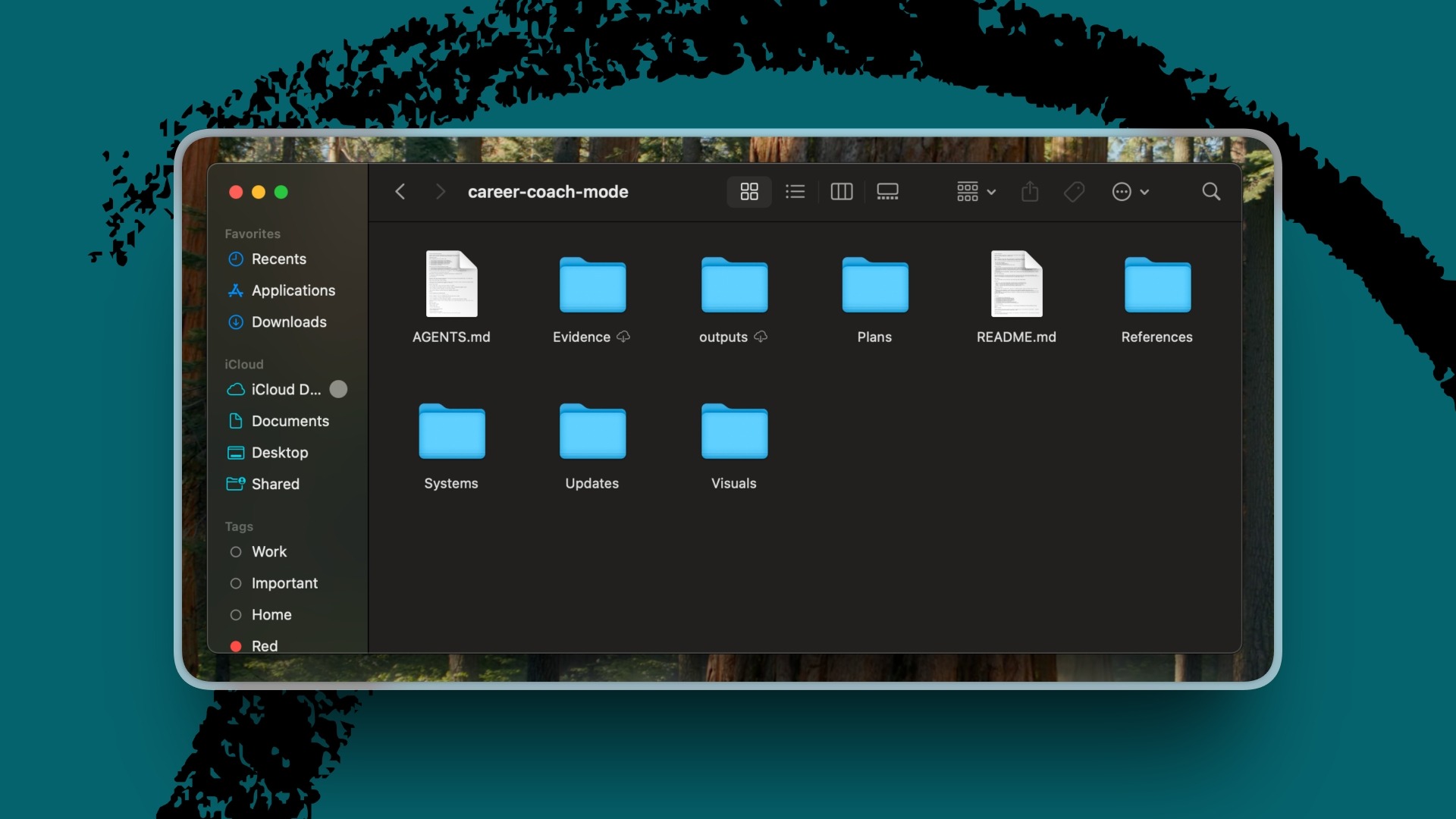
For the career coach, that file system looked roughly like this:
career-coach-mode/
- AGENTS.md
- References/
- Plans/
- Updates/
- Evidence/
- Systems/
References held my current goals and job description. Plans held audits of my goal progress and action plans for closing gaps where they appeared. Evidence held the OKR dashboard. Systems held the registry for the other agents and automations I was accumulating.
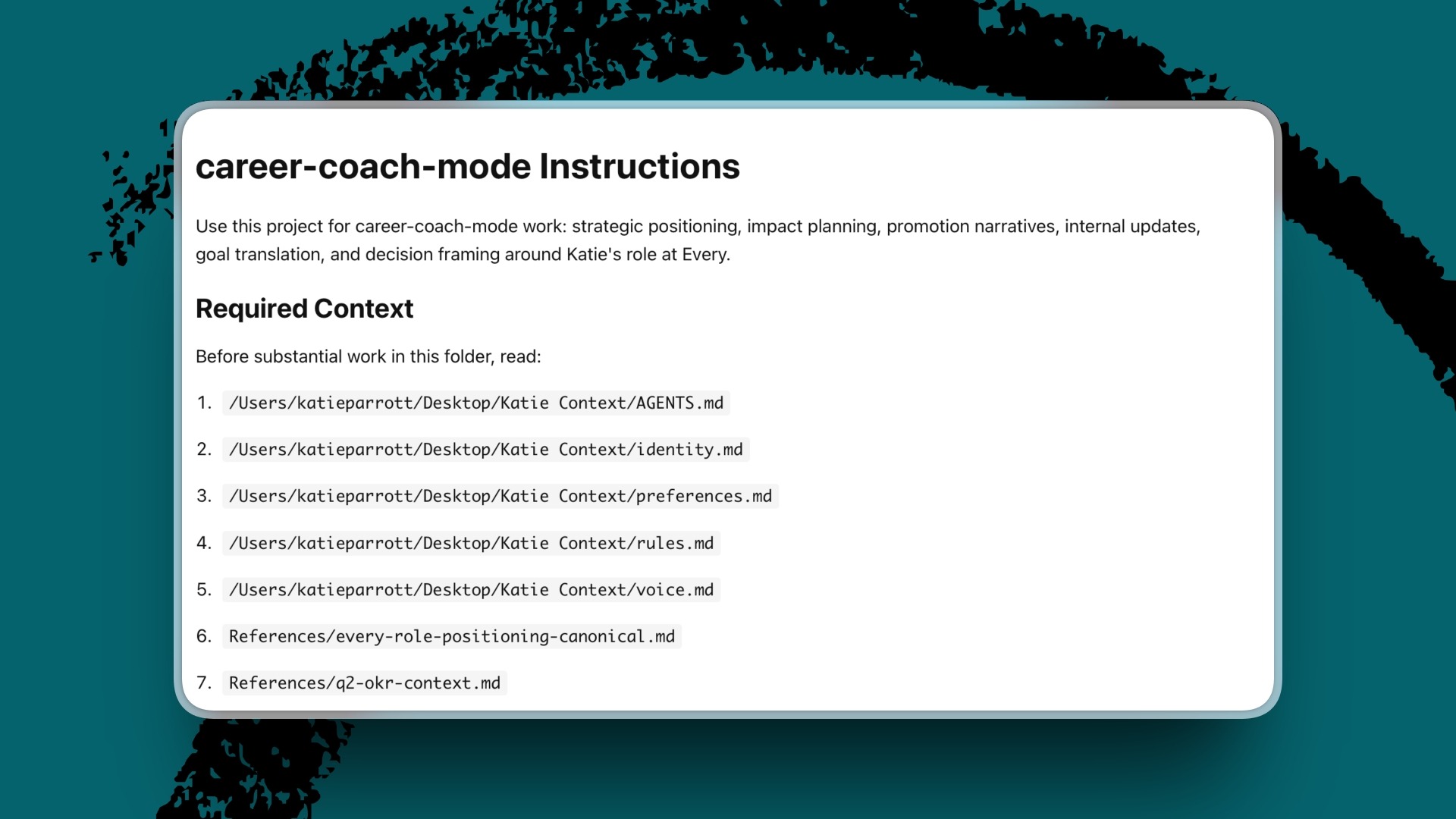
The key is an AGENTS.md file, an operating manual that agents load when they enter a project. Mine told the coach which context was authoritative, which sources to read before advising me, how to distinguish evidence from interpretation, and where different kinds of output belonged. All of this context came from an interview Codex conducted, which it then packaged into a file it could read. My job was to review and approve its output.
I made three decisions. First, I gave the coach a dedicated home on my desktop where I could access it easily. Second, I required it to read all essential context in the folder before giving advice. Third, I told it to preserve useful output somewhere the next session could find it. Codex handled the paperwork. It proposed the detailed folders and what should go in the AGENTS.md file, and routed each artifact to its correct home. This is how I divided the work between myself and Codex. I chose the sources of information and boundaries, and the agent gathered, compared, and proposed a plan.
I felt the difference the next time I opened the project. Because the coach already knew what I’d corrected last week, what evidence I’d added yesterday, and which plan I’d approved that morning, we could pick up where we left off.
Codex’s verdict on my progress
Codex opened the document where I had recorded my four objectives and 16 measurable results with my manager, Every’s editor in chief, Kate Lee. It inspected my project folders, searched Slack for signs that people used what I built, checked my published work and performance data, and compared the record with the plan.
I expected it to confirm that I had wandered off course, because my default assumption is that something is going wrong at all times. It showed me that I was further along than I thought in completing my goals.
My Working Overtime publication target was complete. A newsletter experiment had been absorbed into Andy, our shared editorial agent, and my colleague Laura Entis was using and improving it. The Vibe Check pipeline had produced substantial test runs and drafts.
Then, because I am me, I asked Codex to “make a nice lil visualization.” It built an interactive OKR health dashboard with a card for each objective, the evidence behind its assessment and what it’s still missing, and the next move most likely to improve the quarter.
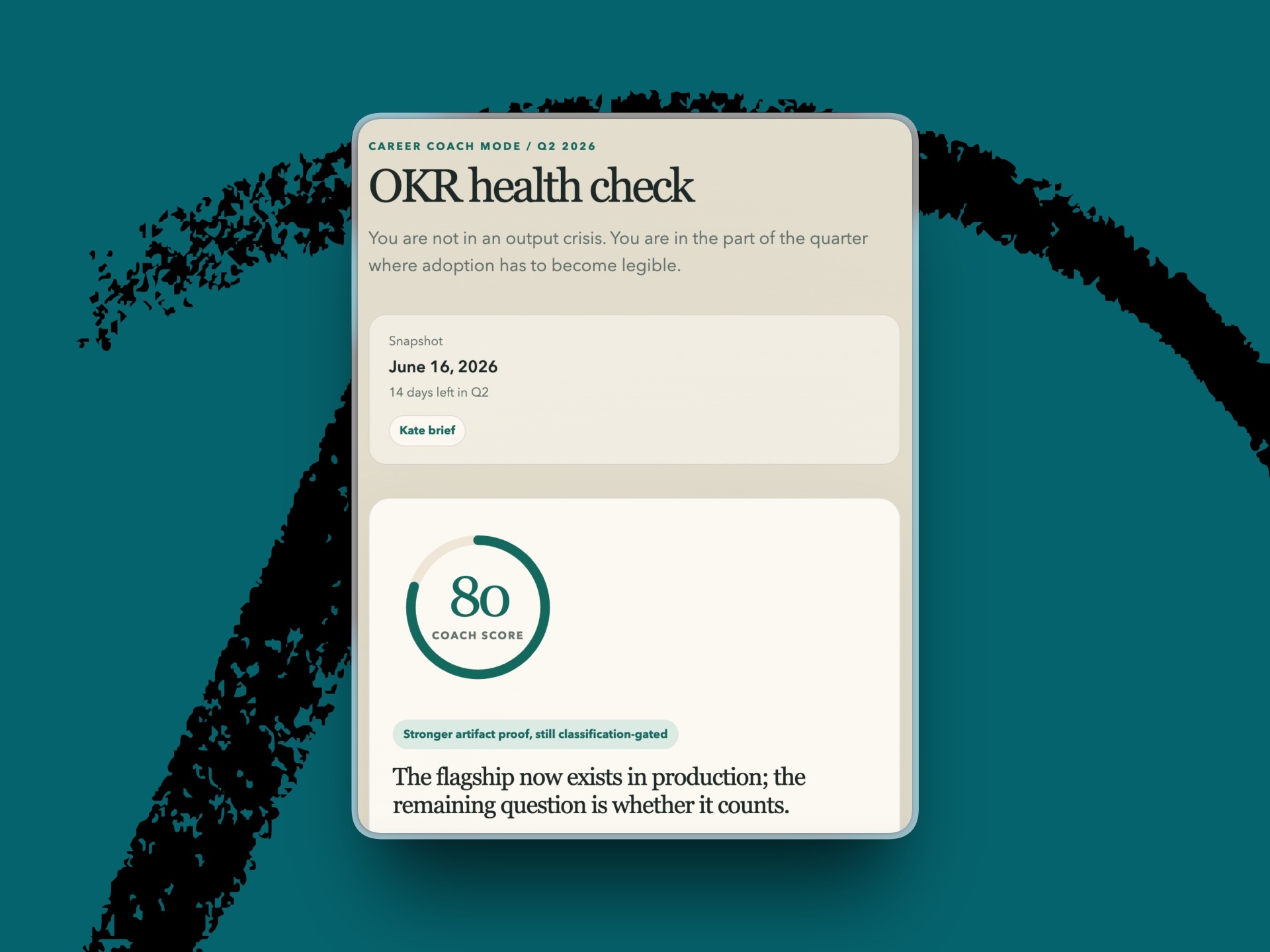
The dashboard corrected my self-assessment but refused to let me enjoy it for long: “Your danger is trying to prove impact through volume,” my career coach told me, adding that I needed to share my work with others if I wanted my work to have impact across the organization.
The biggest validation of Codex’s feedback was my work on Vibe Check automation. Every’s head of tech consulting, Mike Taylor, built a plugin for preparing Vibe Checks end-to-end. I tweaked it here and there based on my whims until it made perfect sense to me. Then I didn’t share it with my colleagues because I was afraid my changes made it worse. I was scared of the judgment of others, but the only way to make the system better was to hear what they thought.
This is where my suped-up career coach hits its limitation: It can tell me I need to take action. It can’t take the action for me. I eventually handed the plugin off to Andy, the editorial team’s AI assistant. I still can’t bring myself to share it with another human because it’s not quite perfect.
My impact beyond OKRs
For the first time in my life, I am looking forward to OKRs again.
My coach records what I did, where the work produced the strongest results, and where I avoided measuring adoption. I can’t beat myself up about my work because I have an objective evaluator to hold me accountable.
But the coach gave me one more thing that helped me understand the impact of my work and feel more positive about my contribution to the company.
I shared an internal document with the agent about Every’s positioning and asked it where I fit. The agent showed me where my work directly supports the company’s strategy.
Working Overtime gives readers language for the emotional experience of adopting AI. My guides help them act. Vibe Checks show editorial judgment during major model releases. My increasingly builder-ish projects make my own transition from writer to builder visible. I’m an on-ramp for the AI-curious, it told me. Someone who makes a reader think: “Well, if she can do it, maybe I can do it too.”
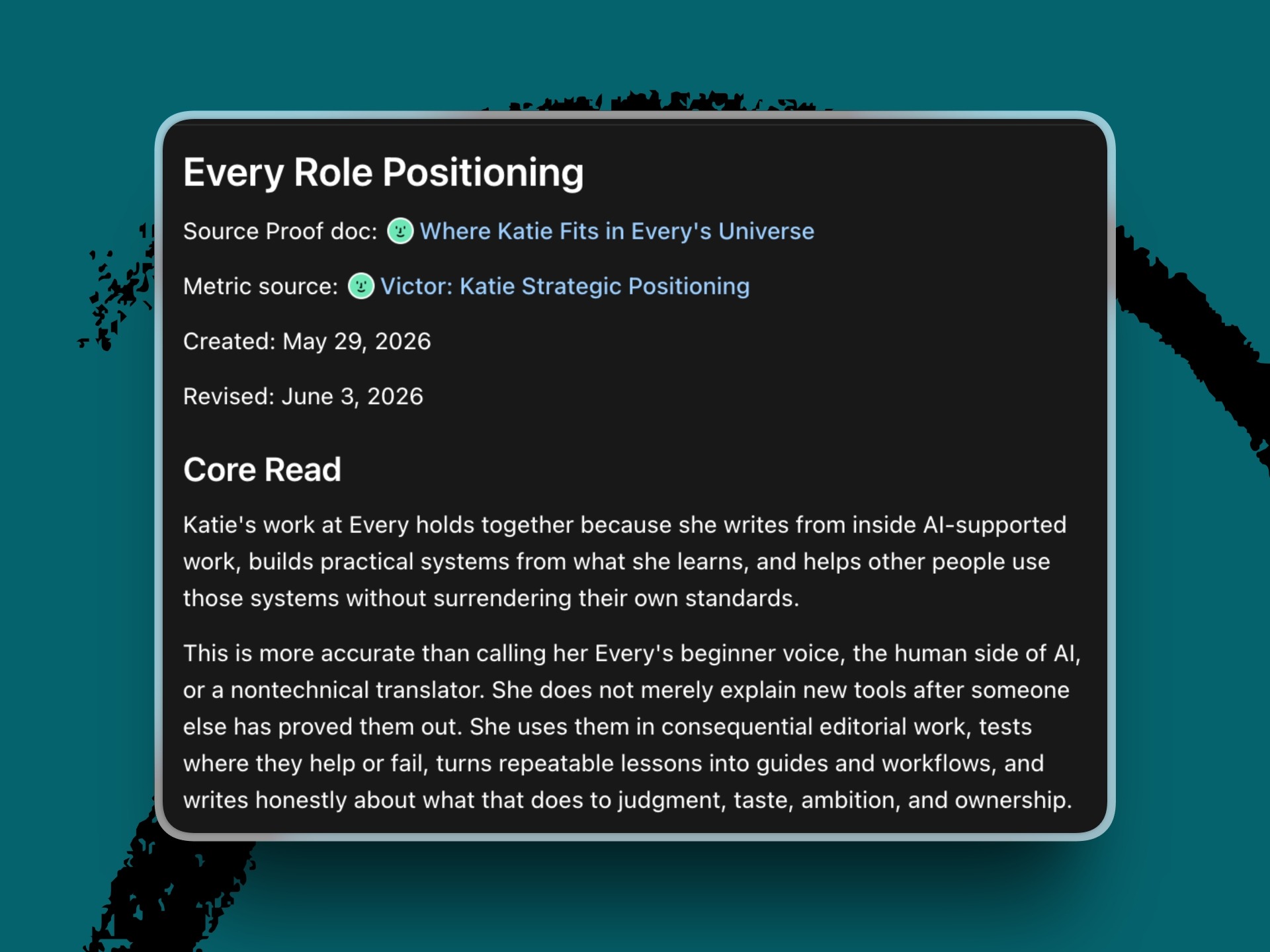
The positioning analysis changed how I approach my job. I speak up more in meetings. I feel more confident saying, “I want to write about this because I think it will be interesting to these people.” I’m more willing to claim the builder side of my work. Each system no longer feels like a strange hobby that escaped onto my desktop.
I started by asking Codex how far behind I was in my second-quarter goals. The record gave me relief, an assignment to be louder about what I was making, and a more expansive idea of the job.
Now I want to ask a better question: Given the work I’ve already proved I can do, what should I be ambitious enough to propose next?
Build the smallest useful version
You do not need my folder labyrinth, four prior experiments, or a dashboard with the visual energy of an airport control tower to build your own Codex career coach. Start with one question:
Become a paid subscriber to Every to unlock this piece and download Katie’s workflow and prompts to create your own Codex career coach.
In partnership with: Deleteme
As builders and followers of what comes next in technology, we know how fast the digital landscape is evolving. AI and data-driven tools are advancing rapidly, but so are the methods data brokers use to legally collect and sell your Personally Identifiable Information (PII)—like your name, address, phone number, and relatives’ names—to anyone with a credit card. This exposure leaves you vulnerable to serious risks like phishing attempts, scams, and doxing. As a community focused on the future of software and technology, taking control of your online footprint is an essential step.
DeleteMe is a hands-free subscription service that removes your personal information from hundreds of data broker websites, reducing the risk of your valuable data falling into the wrong hands. Get 20% off your DeleteMe consumer plan by going to https://joindeleteme.com/every and use promo code EVERY at checkout.
 Create a free account to continue reading
The Only Subscription
You Need to
Stay at the
Edge of AI
The essential toolkit for those shaping the future

"This might be the best value you
can get from an AI subscription."
- Jay S.
 Every Content
 AI&I Podcast
 Monologue
 Every Agent
Join 100,000+ leaders, builders, and innovators

Already have an account? Sign in.
What is included in a subscription?
Daily insights from AI pioneers + early access to powerful AI tools



 Front-row access to the future of AI
 In-depth reviews of new models on release dayPlaybooks and guides for putting AI to workPrompts and use cases for buildersIn-depth reviews of new models on release dayPlaybooks and guides for putting AI to workPrompts and use cases for builders
 Bundle of AI software








 Katie Parrott
 Every Staff
 Kieran Klaassen
Comments