


Dan Shipper is the CEO and cofounder of Every. Every week he explores the frontiers of AI in his column, Chain of Thought, and on his podcast, ‘The Every Podcast’.
.jpg&w=64&q=90)
Transcript: 'Figma Exec on Why the SaaSpocalypse Is a Goldmine'
'AI & I' with director of product management for developers Matt Colyer
Jun 3, 2026 · 20 min readUpdated Jul 22, 2026

The transcript of AI & I with Matt Colyer, Figma’s director of product management for developers, is below. Watch on X or YouTube, or listen on Spotify or Apple Podcasts.
Timestamps
- Introduction: 00:01:03
- The SaaSpocalypse narrative has it backwards: 00:02:15
- Matt’s email-agent origin story: 00:05:27
- Divergent vs. convergent design thinking: 00:13:21
- Figma’s MCP server: 00:17:39
- Why design agents need personalization: 00:19:45
- Every problem is a context problem: 00:22:09
- Apple and Google as the reigning kings of context: 00:25:12
- Review is the new bottleneck: 00:28:18
Transcript
(00:00:00)
Matt Colyer
The SaaSpocalypse—or, more positively, the next era of software. I’m really excited about it, because I think the number of developers in the world is about to go from tens of millions to a billion, maybe more. We’re moving through this incredible democratization of technology, and the end result is dramatically more software in the world. If you’re an established product in that space, it’s not a casualty—it’s a goldmine.
(00:01:03)
Dan Shipper
Matt, welcome to the show.
Matt
Thanks for having me, Dan.
Dan Shipper
For people who don’t know you, you are the director of product management for developers at Figma. I want to start with what I think is the big question on everyone’s mind. I bought a bunch of Figma stock about two months ago, partly because of this whole SaaS apocalypse narrative—and I want to get into that with you. You have a lot to share about AI and product management, all the stuff you’ve been doing yourself. But I’d love to start with: what is going to happen to SaaS tools in the AI era? Figma is a really interesting example, because there are people saying, “Oh, I don’t have to use Figma anymore”—and at the same time, you just launched an agent inside your product, and you have Figma MCP. So if you’re transitioning from a world where there was no AI when Figma started, to now being a big scaled product in an AI world—how does that work? How are you thinking about whether to open the product up to agents, build your own agent, what’s working, what’s not?
(00:02:15)
Matt
I’d love to talk about that. For me it comes from a couple of different angles. The first is the SaaSpocalypse—or, as a more positive framing, the next era of software. I’m really excited about it. I’ve worked in developer tools for a long time, and maybe five or ten years ago, the estimate for the number of developers worldwide was somewhere around 25 to 40 million. What’s most exciting about this moment is that I think it’s going to be a billion—maybe more than that. There’s this incredible democratization of technology happening. There’s a lot of catchphrases around homegrown software, and we can get into that. But the end result is that there is dramatically more software in the world. If you’re in that space, it means it’s a goldmine—there’s all this opportunity, and I’m really excited about it. Figma and a lot of other SaaS businesses are too.
The other part—responding to the more negative sentiment you see online—is the question of, well, what if I could just vibe-code every app? January of this year was the moment that narrative went mainstream. I’d been doing this stuff for probably 18 months before that, so I was already in “let’s go build everything” mode. But I feel like the whole world caught up in January, and people are building. What I know from my own personal journey is that it’s really fun to build the initial version. I actually built one of my own agents two years ago—the very first one was an email agent. It started as a terrible Python script, rickety, replies sometimes didn’t work.
The larger narrative here is that software companies build more than just code. There’s a reason I pay for Gmail to run my email—it turns out it’s pretty unpleasant when you have to worry about upgrading the SMTP version yourself and you just want to receive email. As I’ve run my own agents for my personal life, I’ve experienced the pain of: the product I want doesn’t exist, I built it, and now I own the ongoing cost of it. Honestly, I’m buying more software these days than I ever did before, because I’m like, “That tool seems useful. I’ll just pay somebody else to run my agent for me.”
(00:04:48)
Dan
I totally agree. As someone who has vibe-coded my fair share of tools—yes, there’s the personal maintenance burden, but also I’ve vibe-coded tools we’ve released into production, and let me tell you, it is not as simple as saying “fix this bug.” That’s really missed in the SaaSpocalypse discourse.
That said—if one of the first things you built was an email agent, I’m super curious how you’re managing email right now, because I feel like things have gotten to a point where you can just sort of do your email without actually doing your email.
(00:05:27)
Matt
Yeah. The problem that started two years ago: I was using chatbots at work, because at that point that was the primary interface—agent usage wasn’t really a thing yet. In my personal life, I have kids in three schools. If there are any parents listening, you know what it’s like to get the PTO emails—what’s the theme for today, what’s spirit day. The worst parent feeling in the world is missing crazy hair day because your kid didn’t do it. I’d done that more than once, and I was like: I cannot miss another one.
I had to track maybe 15 emails a day. You think corporate America produces a lot of email—wait until you get to the PTO emails from school. I thought: who can read all of these? Agents. Why can’t I just hook this up? The missing piece was the email inbox connection. So the first version was literally: grab the inbox, grab the top email, paste it to an LLM, dump the response back. My favorite prompt in those days was basically just “extract the facts”—and it was always shocking to me that I’d send a multi-page email and get three bullet points back.
Dan Shipper
I remember those days—the manual wiring-up and copy-pasting. It feels so far away, but it was only a year or two ago.
(00:07:03)
Matt
And then I added a memory system. The proactive piece—I think OpenAI’s Codex hit on this—was the real unlock. My version of it was having the agent send me a summary email every day at a set time. Instead of having to go to a tool and ask for the thing, it would just show up. Not because it was particularly smart—it just ran at the same time every day. But I think where agents are going is much more proactive than that: thinking about when to reach out and let you know what’s going on, without being asked.
Dan
So given where you were a couple of years ago—what are the workflow things you rely on now that you’re excited about?
Matt
One thing I’m still trying to figure out in my work life is summarization. Part of the job is understanding an immense amount of information and filtering it—teaching the agent which things matter and which don’t. It’s a genuinely hard problem, because there’s a lot of stuff that seems unimportant at first read and then matters three days later. How do you describe to a system which things are worth keeping?
(00:08:36)
Dan
It also feels like the agents are a little bit... one thing I do is have Codex go through all my company meetings—we record everything in Notion—and surface the things I might care about. Which is great, because I can effectively be in meetings I wasn’t in. But if it gives me stuff that’s not quite right and I correct it, it overcorrects—it gives me everything I said I wanted, way too literally and way too much. It’s never quite right in this weird way.
Matt
I was curious where you’re at on that, because it feels like one of the genuinely unsolved problems. We’re all grasping for it. Relatedly—with your email inbox, have you fully automated it? Does it reply on your behalf, or do you approve every reply?
(00:09:30)
Dan
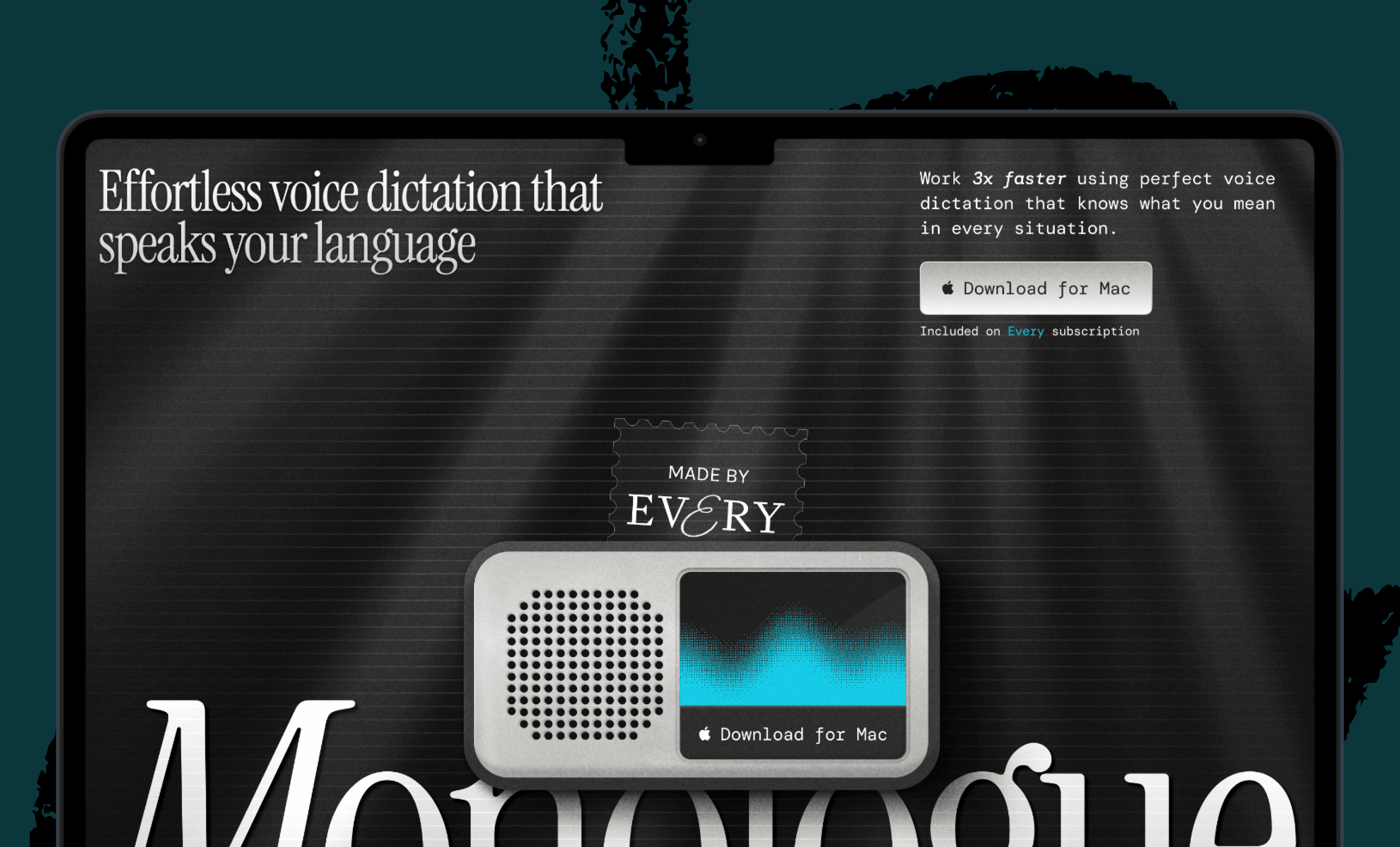
I approve every reply. What I have is a small app I built in Codex that I open in the Codex in-app browser—it runs locally. Every day it sweeps through all my emails and gives me a page where every email is listed with a draft reply: here’s what I’m probably going to say. Because it has access to my computer, if it’s an email from my lawyers it can go search and come back with essentially what it thinks I should say. Then I just scroll through and talk to it using Monologue—I dictate: “No, fix this,” or “Yes, send that draft.” I’ve been at inbox zero for four straight weeks, which has never happened before. My assistant literally asked me what the hell was going on.
Matt
I am a member of the inbox zero religion. I’ve been running it for years and I believe in it—but it sure takes a lot of work. I’m curious about the Monologue thing. Do you actually talk to it, or do you type?
Dan Shipper
I talk to it. It’s audio only right now.
(00:10:45)
Matt
The audio unlock is huge and underrated. One thing I’ve learned is that it feels a little weird to talk to your computer—so my trick is I use Loom a lot. It feels less strange to pretend I’m screen-sharing with someone, and it lets me actually talk through the problem.
Dan
That’s funny. In the office?
Matt
Mostly from home, so people don’t hear me talking to myself. But even in the office—people will just assume you’re on a Zoom.
Dan
At some point there was this social barrier, and now I assume anyone in the office talking isn’t talking to me—they’re talking to their computer. It’s weird when they’re actually addressing me. There’s also the whisper move, where someone gets close to their screen and quietly says, “I want you to do this one little thing.”
Matt
It’s something like twice or three times as fast to talk versus type.
Dan
And I’ve got carpal tunnel, so it’s much more ergonomic. Huge unlock.
(00:12:06)
I do want to get back to what we were originally discussing. I think we’re on the same page: SaaSpocalypse—not a real thing. Making a piece of SaaS software that works reliably is a gigantic effort, and some people want to do that and others just want to pay for it.
Let’s go deeper into Figma specifically. In a design world, there are questions about whether you just want to chat with your landing page and move things around that way, or whether you want the infinite canvas. Internally, pretty much all of our designers are AI-pilled early adopters, and they all say: typing is good for a first pass, but to get the details right, I need to actually move stuff around. So in the design world, how does that change the product strategy when the possibilities for how you might design something have changed so radically?
(00:13:21)
Matt
There’s a lot to unpack, and we’re in the early innings. I think we’re still in the hangover of the text-box paradigm—so much of the default for generative UI has been chat. I feel like we’re starting to enter the second chapter of that, which is what excites me about our agents launch. We’ve had it internally for a while. For those who haven’t seen it, it’s the ability to use an agent directly on the infinite canvas.
It’s funny—a lot of what’s old is new again in LLM and ML land. We’ve reinvented evals, which are basically unit tests. We’ve reinvented prompting, which is basically user input. And design in the AI era is still governed by the same core principles. One of the core principles for me is the design diamond—divergent thinking and then convergent thinking. Most design problems follow that shape. Brainstorming is about generating ideas, not shooting them down.
One thing we haven’t fully unlocked yet from these new capabilities is the ability to supercharge generative thinking. We get stuck in our own lived experience and approach problems from a single angle. The value of a teammate is that they have a totally different starting point, and the creativity comes from that collision—“Oh, I hadn’t thought about it from that angle. Let me take that and build on it.”
So what does this mean in the new AI world? If we get outside text boxes—which are very linear, very “this then that”—and onto the canvas, the agents can enable divergent thinking. You have a frame: try grayscale. Another frame: try sepia. The sepia’s interesting but the type is wrong. Duplicate and try again. Now the accessibility’s off. And so on.
That’s still fairly early-stage—it’s the human driving all the input. But I think where we’re headed is an agent that throws a bunch of frames on the canvas and says, “Your job is to push these in different directions, not just double down on one.” And then a separate convergent agent that looks at 25 frames of concepts for a new marketing page and clusters them—“These three are similar, these are grouped around this”—and you can ask it for an opinion: if I’m a customer clicking through, which one makes the most sense? We haven’t really tapped any of that yet. Even the best command-line agents don’t have those workflows. That’s where I see the future of design and product thinking.
(00:16:30)
Dan
That makes total sense. From what I can tell so far, agents are really good for: “I have a design system, I need a new landing page in that design system—go.” Which, honestly, a lot of designers don’t want to spend time on—the nth landing page or the nth graphic for a post. That’s convergent. What about the question of external agents versus building your own, or having both—which you do have?
(00:17:39)
Matt
We embrace both. Design workflows and engineering workflows are different, but the lines are blurring. In the future we’re all going to be builders—it’s just a question of which angle you’re coming from. We definitely support third-party agents today, and our answer for that is our MCP server. One of the nice things about MCP is that it provides a standardized interface across all these different kinds of tools.
We think about the problem in two directions. The first is code-to-design. A common scenario: you have a signup page but it doesn’t support GDPR. Most people aren’t going to start from a greenfield and reimagine the entire flow—they log in Monday morning and think, I just need to add the checkbox. So for that workflow, if you’re comfortable in Codex or Claude or Cursor or Windsurf, you pull up your codebase, fire up the MCP server, and ask it: “Go to this page, fire up the dev server, and copy it into Figma.” And it will actually do it. We released that earlier this year. It’s a little mind-blowing that agents can do it faithfully—but they can. You’ve removed all the drudgery and you’ve got the design into a medium where you can interact with it precisely.
The second direction is design-to-code. We have a tool called Get Design Context, which takes a Figma design, wraps up all the properties and components you’re using plus any guidelines you’ve set in your design library, and provides it to the agent. The agent can look at your codebase, make a branch, create a PR, make the changes—and you can even ask it to take a screenshot and attach it to the PR. Your job is like what you described with email: you’re not merging blindly, but you have a solid starting point to riff on.
(00:19:36)
Dan
What have you learned about what makes for a good internal agent experience—inside a product—that you might not have known before the Figma Agent launch?
(00:19:45)
Matt
Specifically for Figma: context and personalization matter enormously. In a lot of AI products I’ve worked on in the past, personalization is often the last thing you get to—you just get it working for everyone first. But I think the difference between an okay agent and one that people genuinely love is personalization. We talked about memory as a form of it in third-party chat agents. For Figma, the equivalent is the design system. If you have an assistant but it doesn’t understand how you structure your designs and how you put them together, what it creates just isn’t usable.
Dan
I don’t know what your plans are around Figma being more proactive—being a proactive agent—but I’m curious how that’s going, to the extent you can share. We’ve talked about how hard it is to get right.
Matt
That’s where the future is going, if you look at how agents have evolved. We’ve got a lot of things cooking internally that I can’t speak to specifically. But I can talk about the problems we see today. If the amount of software in the world is really exploding, one of the bigger challenges becomes: how do you make sure it’s consistent with your values? We become the bottleneck—we only have so many human eyes to review all of this work. How do we provide a solution that lets people keep innovating at the speed agents create, while maintaining their values?
(00:21:36)
Dan
What has the transition been like internally at Figma—in the engineering org, the product org, the design org—from a pre-AI world to now?
(00:22:09)
Matt
I joined in January, and even in that short window it’s been night and day. In January, people were experimenting with new ways of working across all the functions—engineering was probably leading the way, as it usually does in these cases. But I’ll give you an example from the product org. We had an offsite—I think you actually came by, small world. One of my favorite memories from that offsite was what our product operations team built. They called it PMOS.
To take a step back: one of the big unlocks I’ve found with AI is that you start to realize every problem is a context problem. The work becomes about framing the problem with the right set of information. Our product operations team had this insight: a lot of the work we do as PMs lives in structured data. Why don’t we aggregate it? Start with the org chart—throw it in a SQLite table. Create a connector to Asana. Connect Slack, GitHub, a few other things.
Then the real insight: skills had really taken off at this point, and one they were excited about was onboarding file creation. When you add a new team member, as a manager you have to create a customized document—here are the channels you should know, here are the people you should know. That knowledge used to feel like it lived entirely in your head. But once you shape the context right, the data was already there. You have the org chart. The agent can walk it and figure out who’s on the team, who the trifecta is on the product-engineering-design side. You just tell it: here’s the new person, here’s the team they’re joining. It does a bunch of research, goes into Slack, figures out the relevant channels, reads the last 30 days of content, checks the Asana board, finds all the projects. And it comes back with something that’s uncannily good. A genuinely strong starting point.
(00:24:03)
Dan
That’s one of the things I think made Claude Code so good, and what makes Codex so good right now. Everyone initially tried to build agents that lived in the cloud and were always on—but then you had to manually connect them to everything. Claude Code is just an agent on your computer with access to everything you have access to, and that completely changes what it can do because it can get all the context it needs.
Same with Codex—I can ask it a random question. We published an article today, and I asked it, “Who should I send this to?” It went through my emails and texts—I didn’t even realize it had access to all of that—and found five people I probably would have forgotten but should have sent it to. That’s the sort of magical thing that’s starting to happen. The AI itself would have been capable of this for a while if you gave it all the context—but it’s only now that it’s in the right harness and form factor, and can do it a little more independently than before.
(00:25:12)
Matt
I want to put a plea out there. At WWDC—I think it was ‘25, Apple Intelligence—I was all in. I upgraded my iPad, I was like, “This is going to be it.” They had this concept of: our phones have all of this personal data. And then it just... wasn’t it. I’m really hoping WWDC this year actually is it, because the technology has been there. The part that’s missing is tying it all together. The mobile phone ecosystem has all that content. I’m waiting for the always-on Siri that actually runs in the background and is smart, rather than “What was that? I didn’t understand you.” One day.
Dan
Do you think they’re going to get that right? And if they don’t, does it matter?
Matt
I think it still matters, because even being late to the game, they are the king of context. And Google has also, interestingly, seemed to wake up to that at Google I/O this year—they don’t have as much data as Apple, but they have a lot. It seems like they’re now starting to marry their AI products. I think Spark is supposedly the always-on agent that’s going to be auto-connected to all of your Google content. I’m waiting for the day it just runs my inbox for me and I get to inbox zero.
(00:27:03)
Dan
I just have this feeling about Apple—when OpenAI’s Codex took off, everyone started buying Mac Minis, and you think, what a great business. They don’t even have to be in the AI race because they win by default—they make the hardware everything runs on. And even if they’re behind on Apple Intelligence, which they are, their software has historically lagged their hardware. Because the hardware is so good, they have a lot of time to catch up.
Matt
Their strategy is smart on the privacy angle too. It is genuinely concerning to upload all your information to the cloud. I think they’re in the game—I’m really hoping they’ve got something interesting this year.
(00:27:51)
Dan
Looking back over the last year, there’s been this big sea change in how we build things, how good the tools are, how software works. What do you expect over the next year as capabilities keep increasing—both in how you make stuff and what you make?
(00:28:18)
Matt
The big thing this year will be about review. That’s where the bottleneck is now. We have agents capable of producing all of this stuff—they’re available enough, cheap enough—and now we’re being inundated with net new content. Not summaries of existing stuff; that’s been around for a while. This is: do you want me to go or not? And people are getting overwhelmed by it. We have to solve the problem of how we scale our value system—how we evaluate whether this new thing the agent created is actually good—and feel confident enough in that to let it run in auto mode.
Dan
Do you have any sense of how that will work inside Figma, or what the interesting design considerations are for that kind of review flow?
Matt
That’s one of the problems we’re really focused on—talking to customers, figuring it out. I think the industry is trying to understand what the new format is. Is it a recorded video walkthrough? Screenshots? Another agent with a different prompt that reviews the work, one that you trust so much you approve its decisions? It’s hard to predict, especially right now.
(00:29:48)
Dan
One last question. There’s been a lot of back and forth over the last year or two about whether there’s a future for PMs, whether there’s a future for designers. If you want to be a PM, how do you break into the industry now? Maybe there are fewer PM seats, or engineers feel they don’t need PMs. How do you think about career progression for a PM—how someone who isn’t senior gets to where you are?
(00:30:24)
Matt
The fundamentals still matter. The best analogy I’ve seen is math class—you still had a calculator, but we all learned long division. We all learned to take derivatives by hand. Do I do that daily now? Absolutely not. But I think it’s incredibly important to understand those concepts and be able to do them by hand—to drive these systems well, you need to understand what’s underneath.
I’d be genuinely curious what CS 101 looks like now. There are two parallel worlds. One where you just dump your question into ChatGPT and get back, “Here are the 42 implementations of bubble sort—which one do you want?” And another where you’re a really curious person. You write the bubble sort in C, then you ask the model to compile it to assembly and explain it line by line—what’s a register, what’s L1 cache, what’s L2 cache. The people who can’t leverage these tools are the ones who just accept the output. The people who invent the next set of tools and push them to their maximum are the ones who are pushing the boundaries and understand how they’re put together. And to do that, you have to be curious. You can’t be the one who just said, “Give me the answer.” You have to be the person asking, “How does this actually work? Help me understand the next level.”
Dan
I agree. And it’s so much more fun to live that way.
(00:32:15)
Matt
It’s catnip for me. I don’t know if you’re a Hitchhiker’s Guide to the Galaxy person, but LLMs feel like the book—the literal manifestation of it. I have this on airplanes: I don’t run local LLMs often, but I’ll download an 8B model and run it offline, and it’s exactly that. You ask it “Why is the sky blue?” and it breaks down the refraction. You ask it “What is a squirrel?” and it answers that too. They’re not perfect—some are a little weird at the 8B size—but it’s a magical time to be alive for curious people.
Dan
I totally agree. Matt, it was a pleasure.
Matt
Thanks.
Dan Shipper is the cofounder and CEO of Every, where he writes the Chain of Thought column and hosts the podcast AI & I. You can follow him on X at @danshipper and on LinkedIn.
To read more essays like this, subscribe to Every, and follow us on X at @every and on LinkedIn.
For sponsorship opportunities, reach out to [email protected].
The Only Subscription
You Need to
Stay at the
Edge of AI
The essential toolkit for those shaping the future

"This might be the best value you
can get from an AI subscription."
- Jay S.
 Every Content
 AI&I Podcast
 Monologue
 Every Agent
Join 100,000+ leaders, builders, and innovators

Already have an account? Sign in.
What is included in a subscription?
Daily insights from AI pioneers + early access to powerful AI tools


 Front-row access to the future of AI
 In-depth reviews of new models on release dayPlaybooks and guides for putting AI to workPrompts and use cases for buildersIn-depth reviews of new models on release dayPlaybooks and guides for putting AI to workPrompts and use cases for builders
 Bundle of AI software






 Katie Parrott
 Every Staff
 Kieran Klaassen
Comments