


Rhea Purohit focuses on research-driven storytelling in tech. She writes about the psychology and history of adopting new technologies.

The AI Browsers That Made It Into Our Daily Workflow
Switching browsers is a pain. Here are the ones that our team deemed worth it.
Nov 25, 2025 · 17 min readUpdated Jan 27, 2026

This Black Friday: Get 25% off a paid Every subscription when you upgrade—full access to Every’s AI tools, expert courses, model reviews, and hundreds of essays. Offer ends December 1.
Was this newsletter forwarded to you? Sign up to get it in your inbox.
For a decade, browsers have been the least sexy part of the internet experience. Google Chrome dominated so thoroughly—over 70 percent global market share—that it felt like the conversation was over. Apple’s Safari stayed by virtue of pre-installations on Macs and iPhones. Firefox retreated; Microsoft’s Internet Explorer quietly retired.
And then, out of nowhere—well, not nowhere, as loyal Every readers might remember—the ground shifted.
AI browsers—a web browser with AI woven into the experience of using the internet— from OpenAI, Perplexity, and The Browser Company all arrived, packaged in flashy launches. The browser wars are officially back.
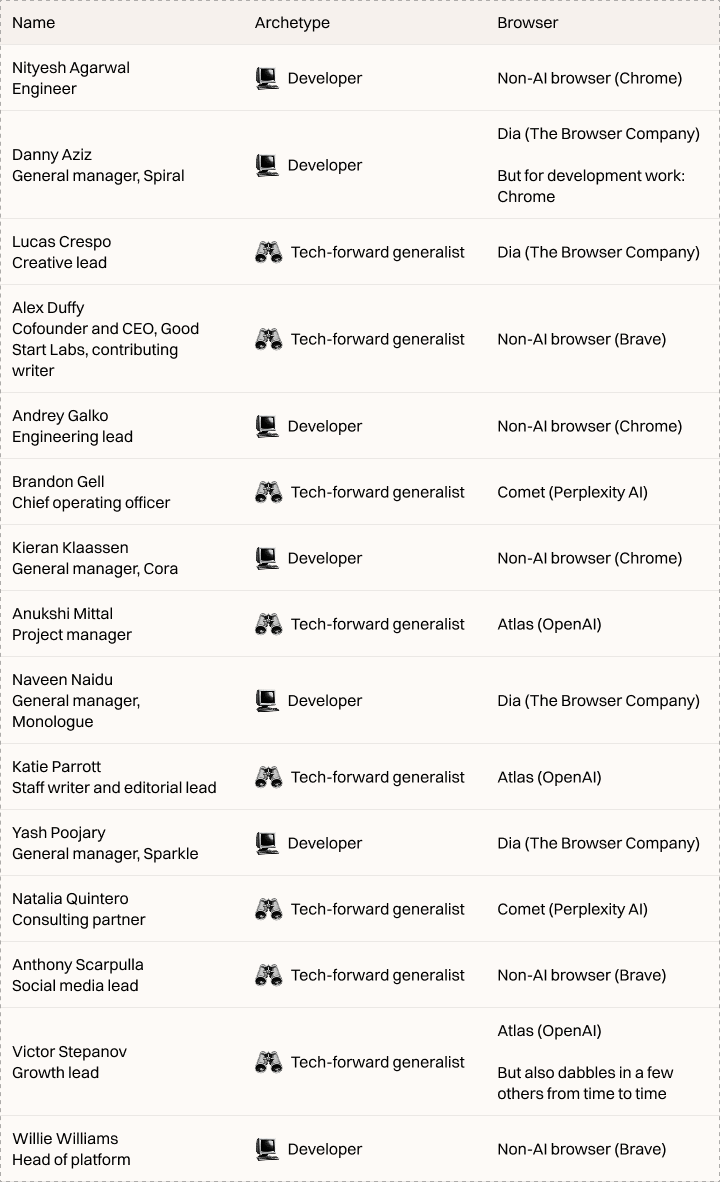
Many members of the Every team have switched over to an AI browser, but a near equal number still use Chrome or independent browser Brave—proof of how nascent AI browser use is, even among the tech curious. The unconverted say that humans can still do many tasks faster than the AI agents baked into AI browsers. Worse, you often have no idea when—or whether—it’ll finish a task.
We dove into the AI browsers that the Every team are using, how they fit these new AI features in their workflows, and what they still wish was better. We’ve also asked those who don’t use AI browsers what they would like to see improve before making the jump.

We’re the AI company that doesn’t have churn.
We actually have a 127% net revenue retention (our voice agents are pretty good).
They sound human, run 24/7, and never ask for PTO.
If you want to see for yourself, you can try Bland’s Voice AI for completely free.
Or for enterprises, you can book a call directly.
Before we get into the specifics of each browser, here are the browsers that the team is using.
Atlas: OpenAI’s browser that brings ChatGPT to every corner of the web
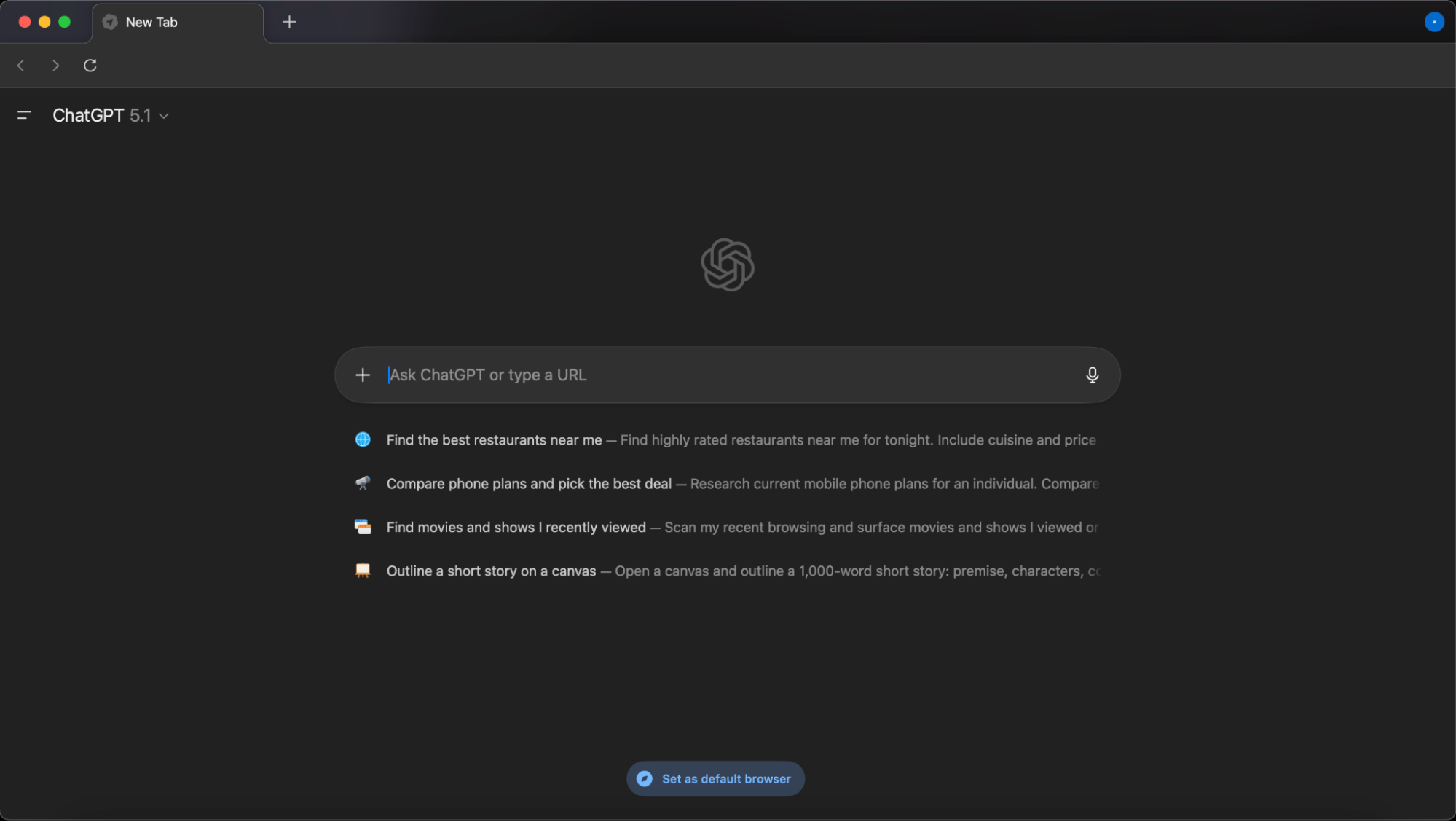
In the last week of October, OpenAI finally released its long-awaited browser: Atlas. It’s available for anyone to download and use, even if you’re not paying for ChatGPT. The browser is currently macOS-only, with support for Windows and other platforms on the way.
Paid users get additional capabilities like Agent Mode, where you can instruct an AI to click around the web and complete multi-step tasks for you.
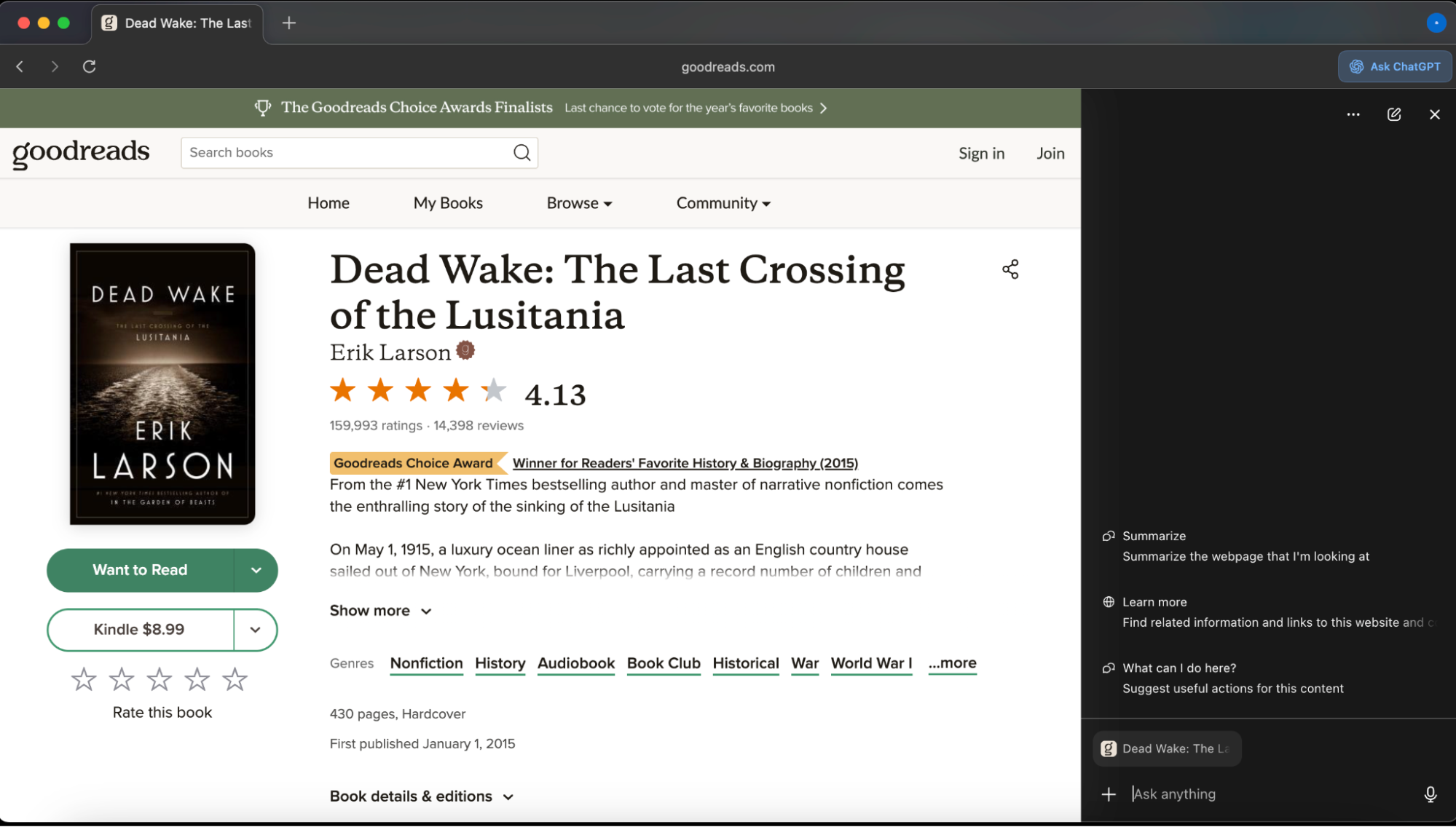
Inside Every, Anukshi Mittal and Victor Stepanov—both tech-forward generalists—are the browser’s most consistent users. Atlas makes ChatGPT, and the context it needs to be useful based on your browser patterns, available wherever you are on the web in a sidebar, eliminating the need to switch between tabs or copy and paste text from a website to the chatbot. “[I]nstead of taking a screenshot and uploading it…I can just open the tab and ask questions in the right side panel,” Victor says. “This alone already makes my life so much simpler.”
How Every’s team fits Atlas into our workflows
Put two AI agents together to generate first drafts for you
Normally, when you ask Spiral to create a draft for you, it asks a series of clarifying questions—about the audience, tone, perspective, and so on—before doing so. Victor offloads this back-and-forth to Agent Mode. He gives the Atlas agent all the context it needs, tells it to open Spiral, and instructs it to answer Spiral’s clarifying questions just as he would. From there, the agent and Spiral carry on the conversation autonomously until the draft is ready for Victor’s review. “I give the agent all the necessary information and context, send it to Spiral with a note that it should ask all the necessary questions if needed, and follow up with Spiral on its own until it gets the writing done…they figure it out between themselves and get me [the] drafts delivered.”
Also on the writing front, Victor calls out Atlas’s in-line writing assistant; as a non-native English speaker, it helps him articulate his thoughts more clearly without interrupting his rhythm.
AI that adapts to your context
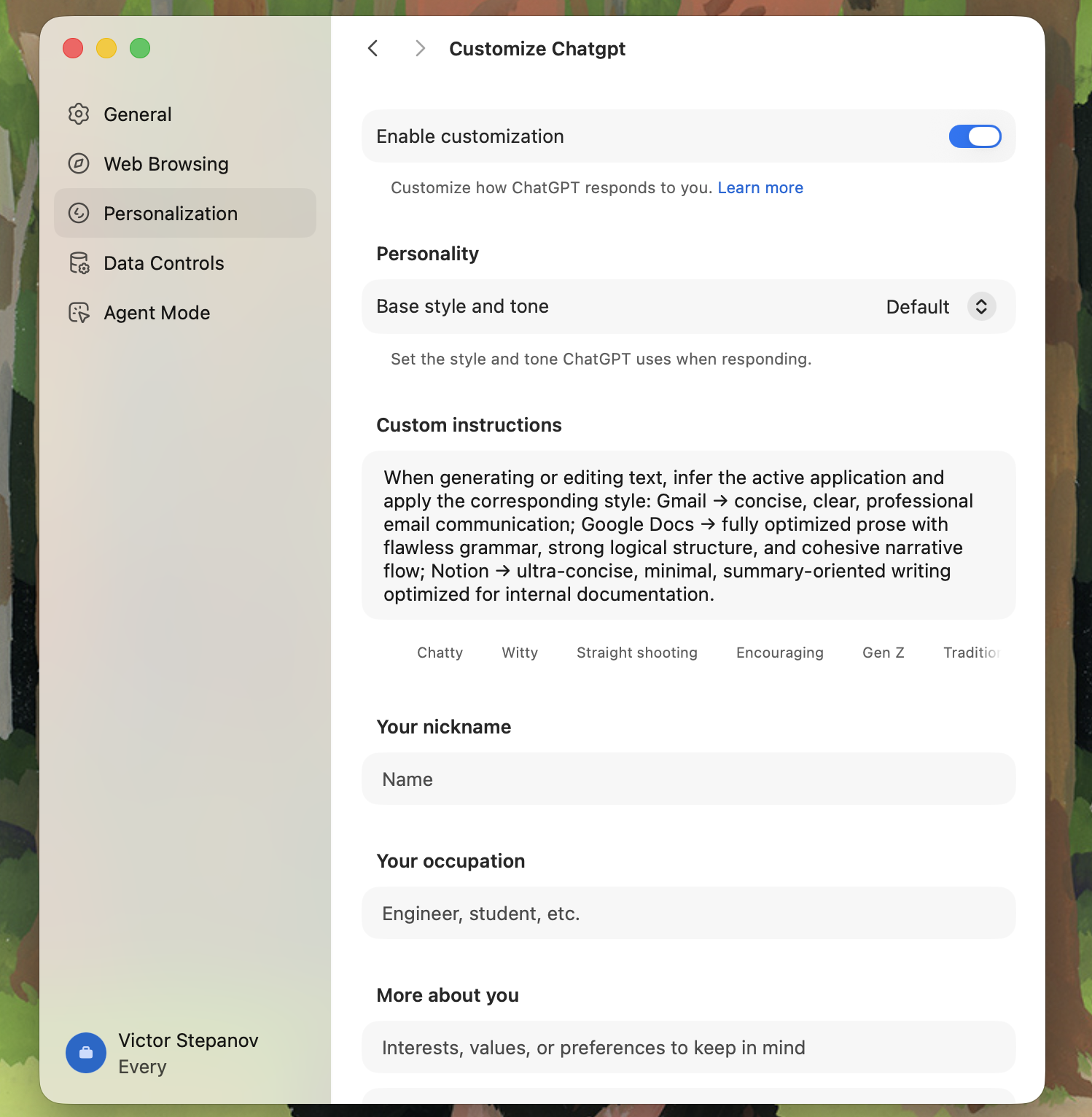
Using the “personalization” field in the browser’s settings, Victor sets rules for how ChatGPT should behave in different environments—writing an email versus drafting in Notion, for example—so the model effectively puts on a different “hat” depending on where it is. “I just [typed out] every behavior I want it to follow when I have a certain page or website open,” he says. “It’s not fool-proof but it works most of the time.”
Answer your questions as you read
Anukshi does all her reading on Atlas, because of how easy it is to interact with the material —if she has a question, she can call up ChatGPT in the panel without having to shuttle between tabs. She recently used this feature to better understand the arguments in Dan Shipper’s essay on developing a new worldview while living in a world with AI. Other AI browsers can do the same, but Atlas is the first one she’s used, and with OpenAI’s huge user base, she suspects many others are in the same boat.
Let AI handle the drudgery you don’t have time for
Anukshi hands non-urgent administrative tasks to Atlas’s agent, such as checking if a book was available at a public library she was visiting and looking up new restaurants nearby. She admits it’s too slow when she needs something done quickly, but for background chores, it’s ideal.
Where Atlas could be better
Become a paid subscriber to Every to unlock this piece and learn about:
- What AI browsers keep getting wrong about the search bar (and why it drives users back to Chrome)
- What convinced some engineers to endure the pain of switching—and the dealbreakers that sent them back
- The Every team’s holiday wishlist for AI browsers
Thanks to our Sponsor: Bland AI

We’re the AI company that doesn’t have churn.
We actually have a 127% net revenue retention (our voice agents are pretty good).
They sound human, run 24/7, and never ask for PTO.
If you want to see for yourself, you can try Bland’s Voice AI for completely free.
Or for enterprises, you can book a call directly.
 Create a free account to continue reading
The Only Subscription
You Need to
Stay at the
Edge of AI
The essential toolkit for those shaping the future

"This might be the best value you
can get from an AI subscription."
- Jay S.
 Every Content
 AI&I Podcast


 Aleena Vigoda
 Dan Shipper











Comments
Don't have an account? Sign up!